
We’ve learned that our photographers are able to deliver the best shoot experiences when they have the full picture of how a customer books a shoot with us. Here’s what our customers see on their end, from the moment they submit an inquiry to the moment they receive their gallery.
SUBMITTING A REQUEST
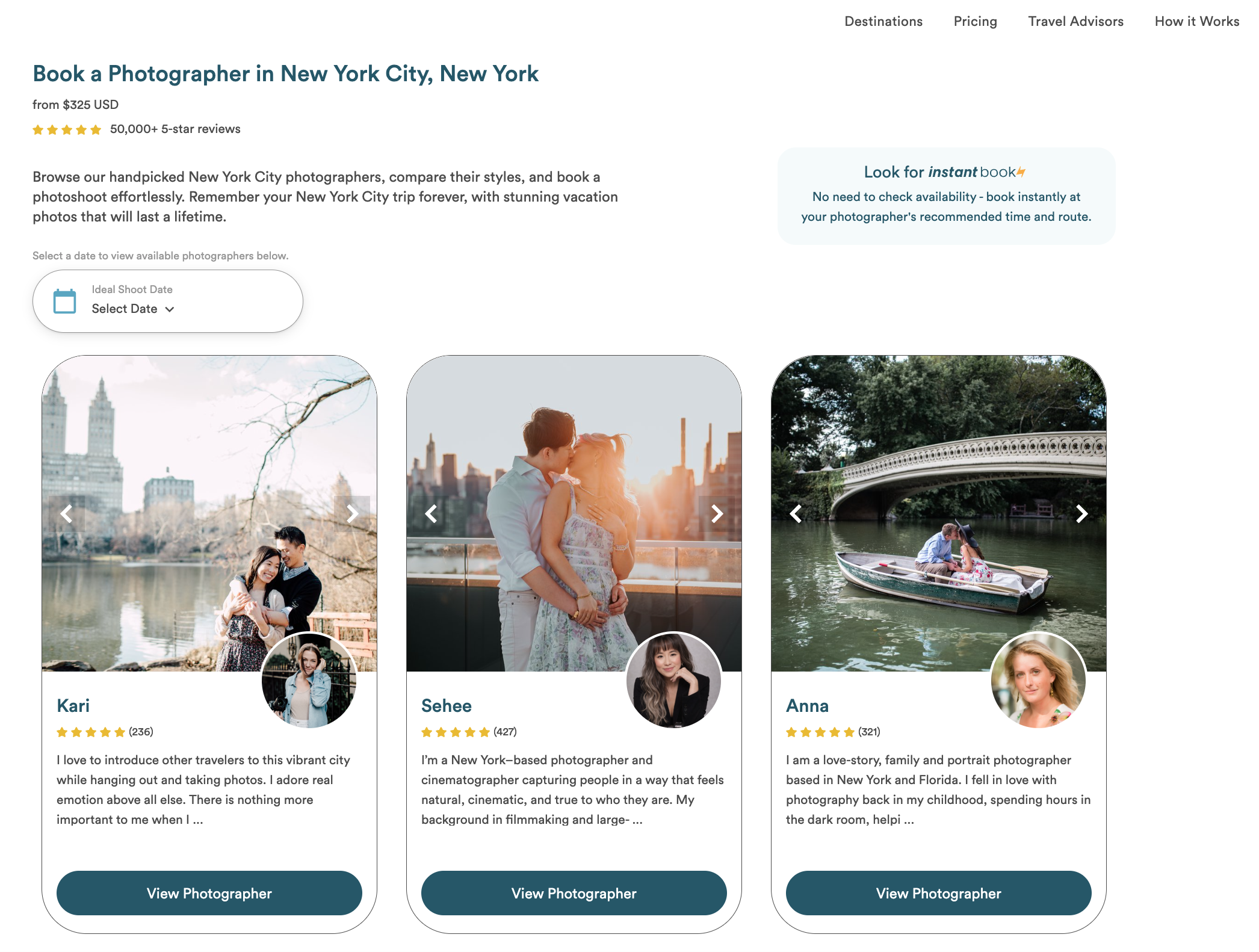
- Customers visit our website to browse our destinations and photographers
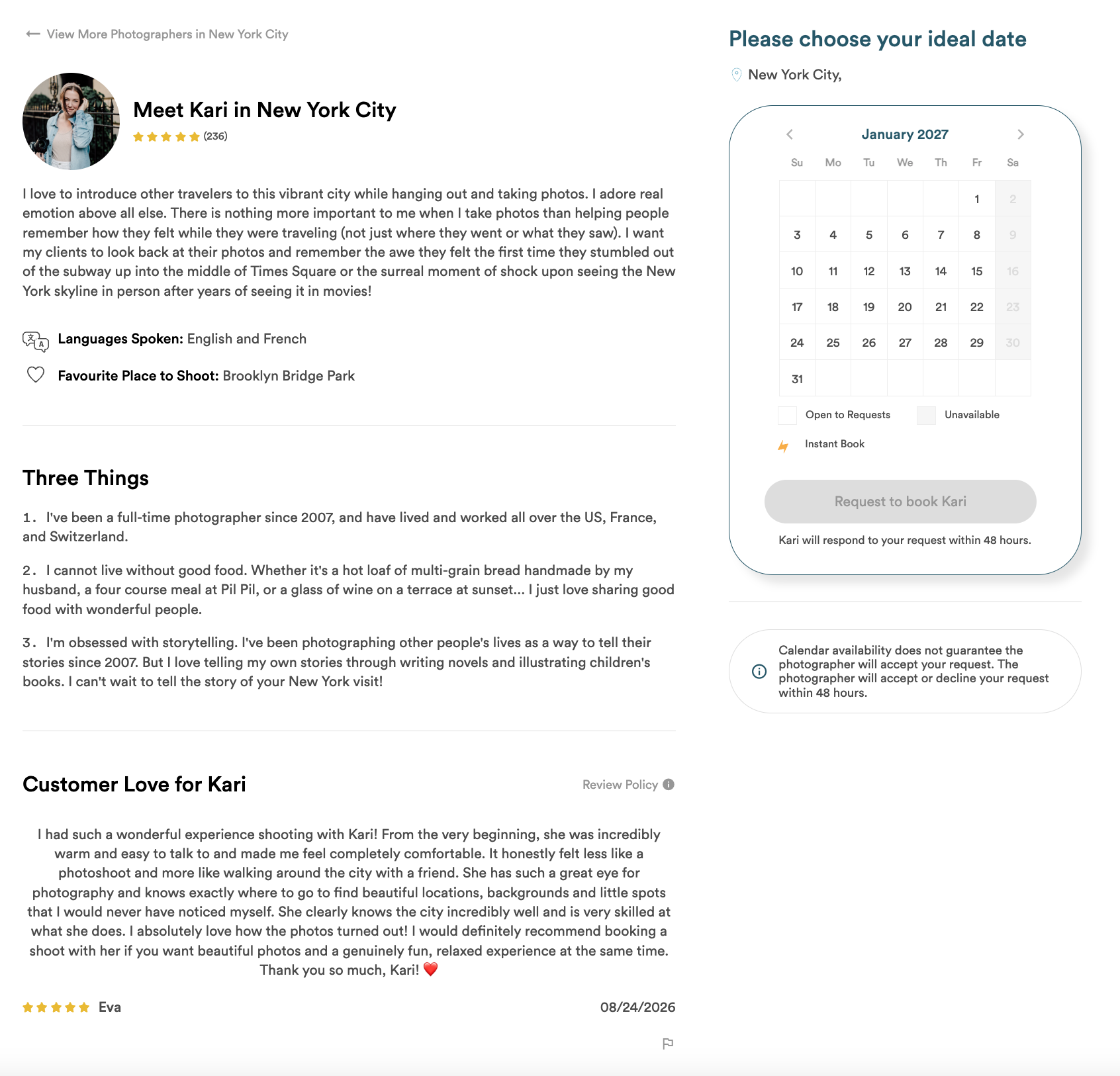
- From a city page, customers can submit a request to book with the first available photographer, or view individual photographer profiles
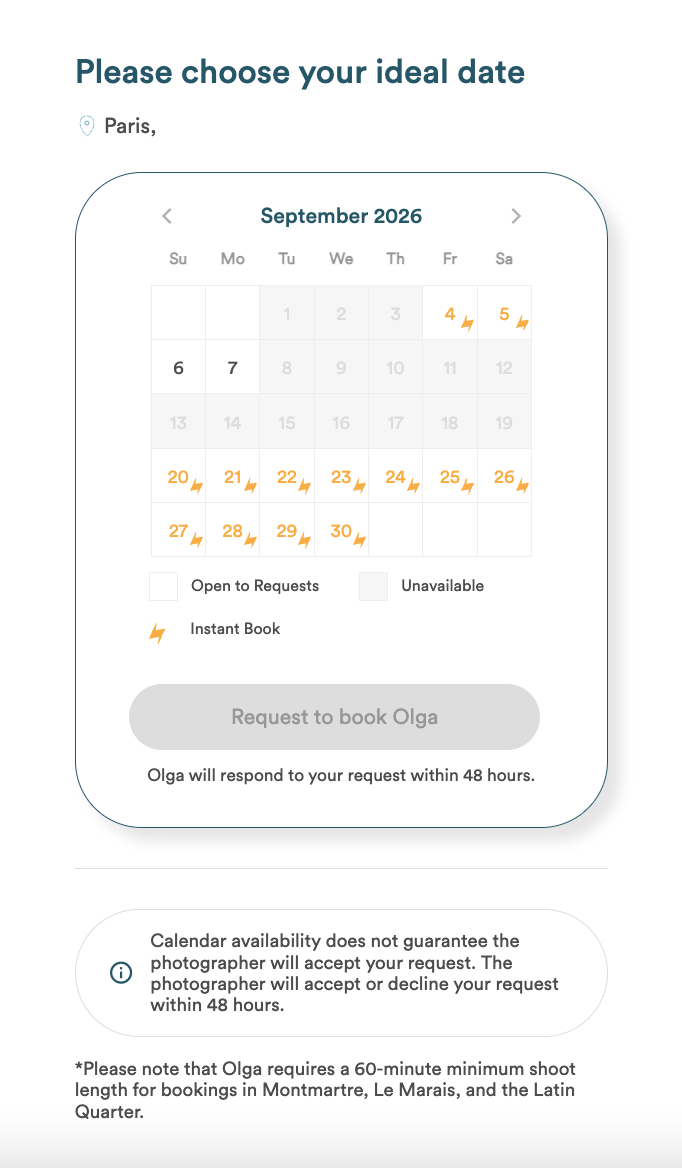
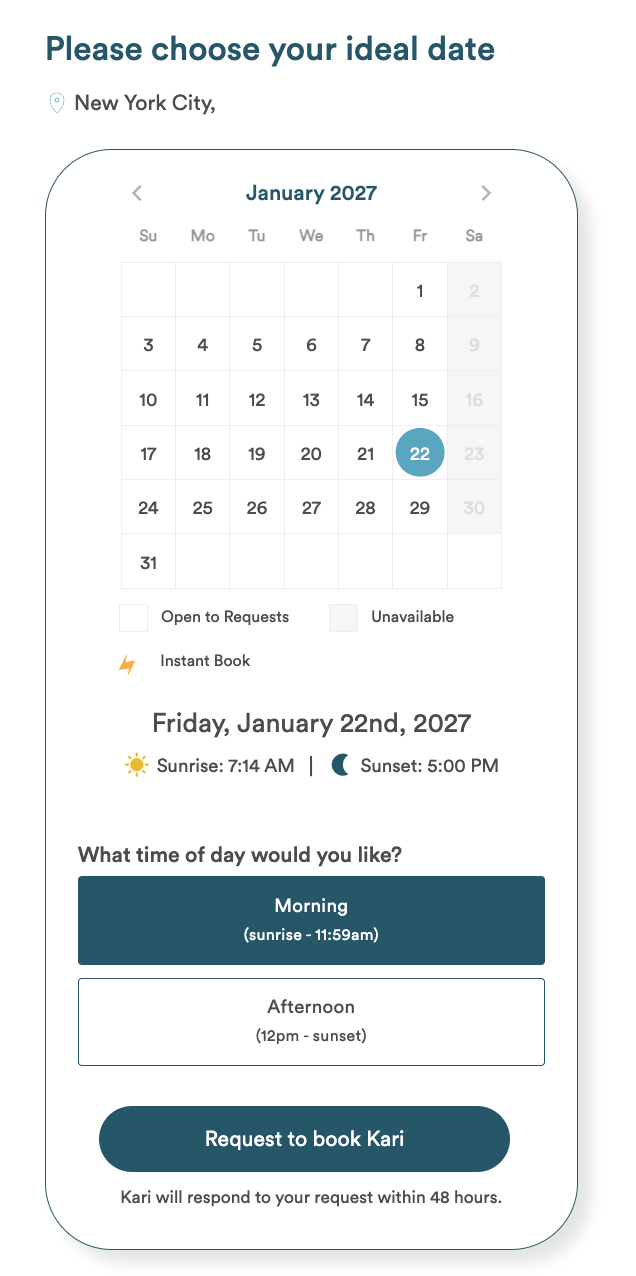
- From a photographer profile page, customers can book immediately if the photographer has set up Instant Book slots, or submit a request to book an open calendar slot
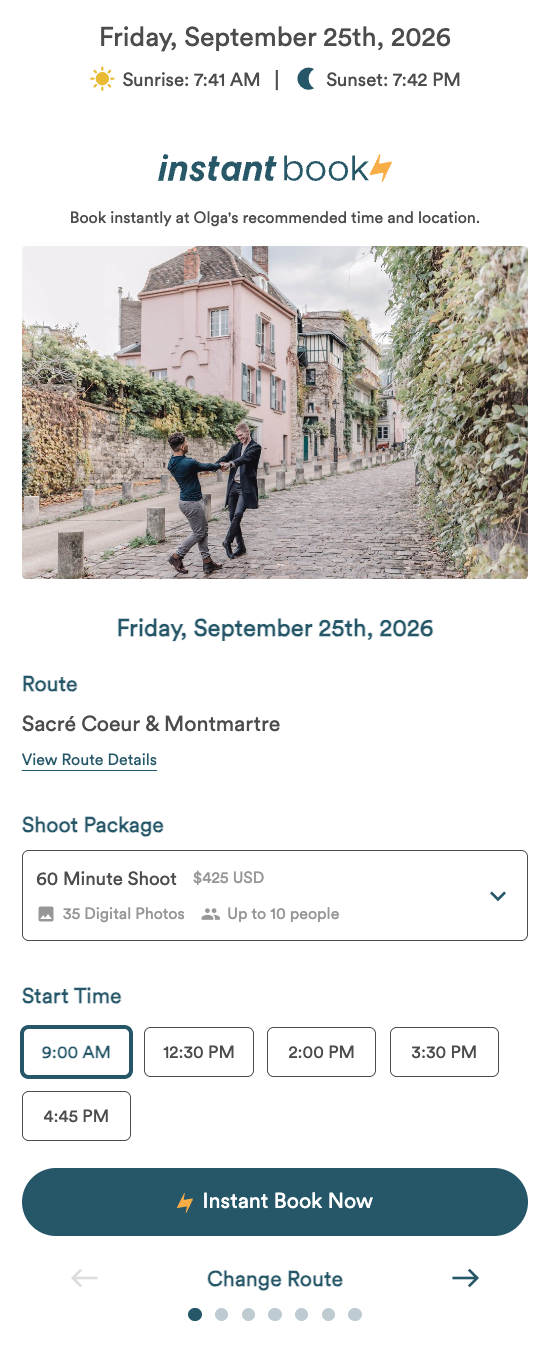
INSTANT BOOK
- If an Instant Book slot is available on their selected date, a customer will complete our Instant Book form to share any important details about their shoot, and complete payment to officially book the shoot.
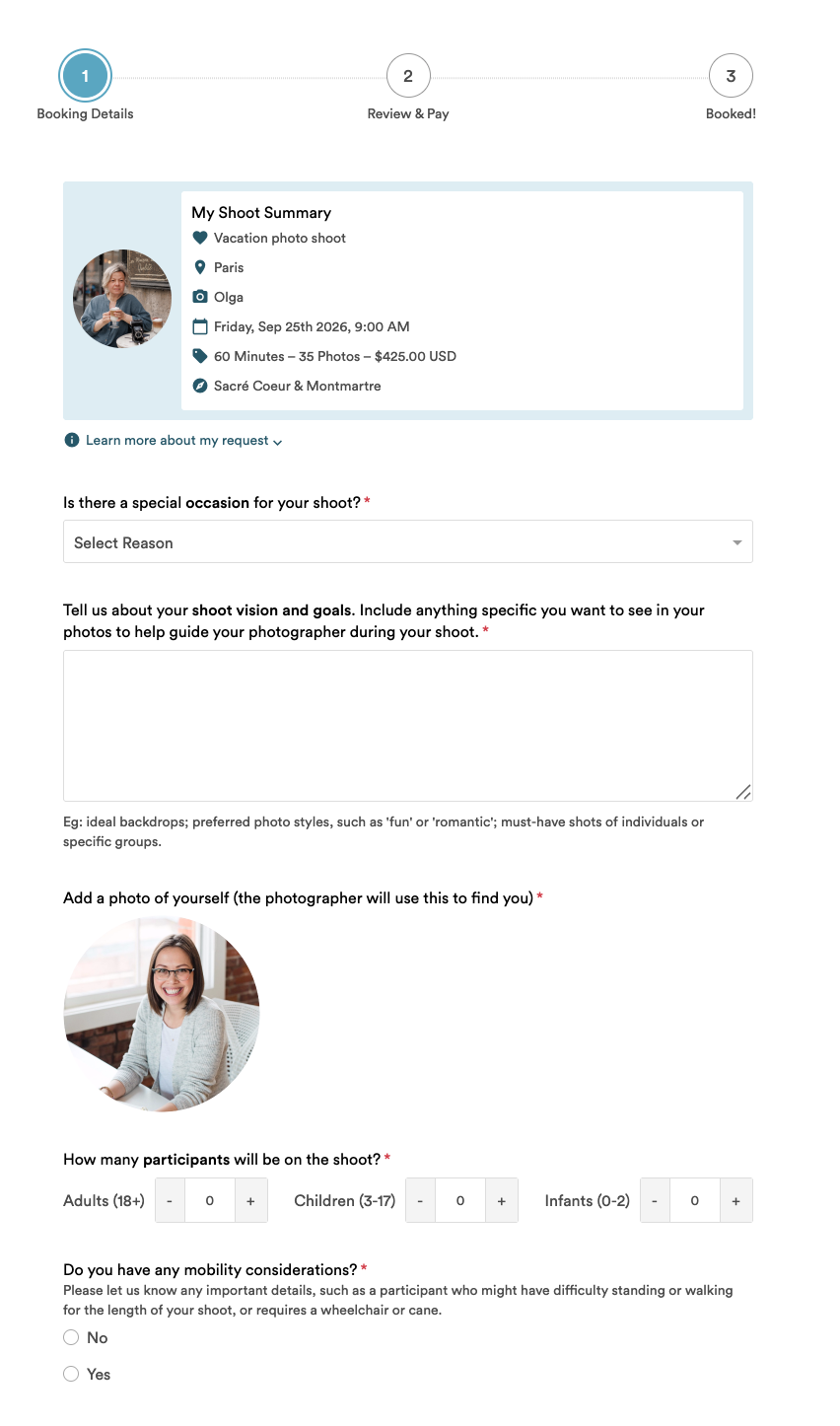
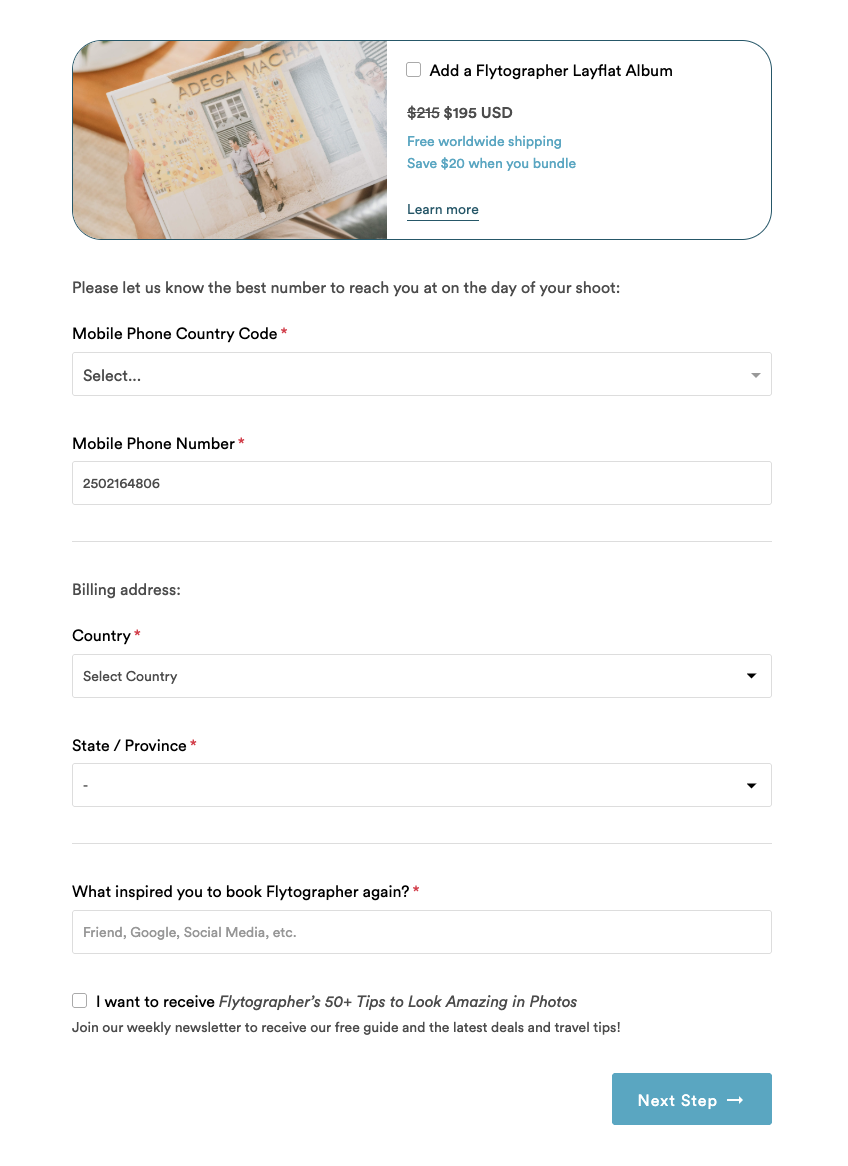
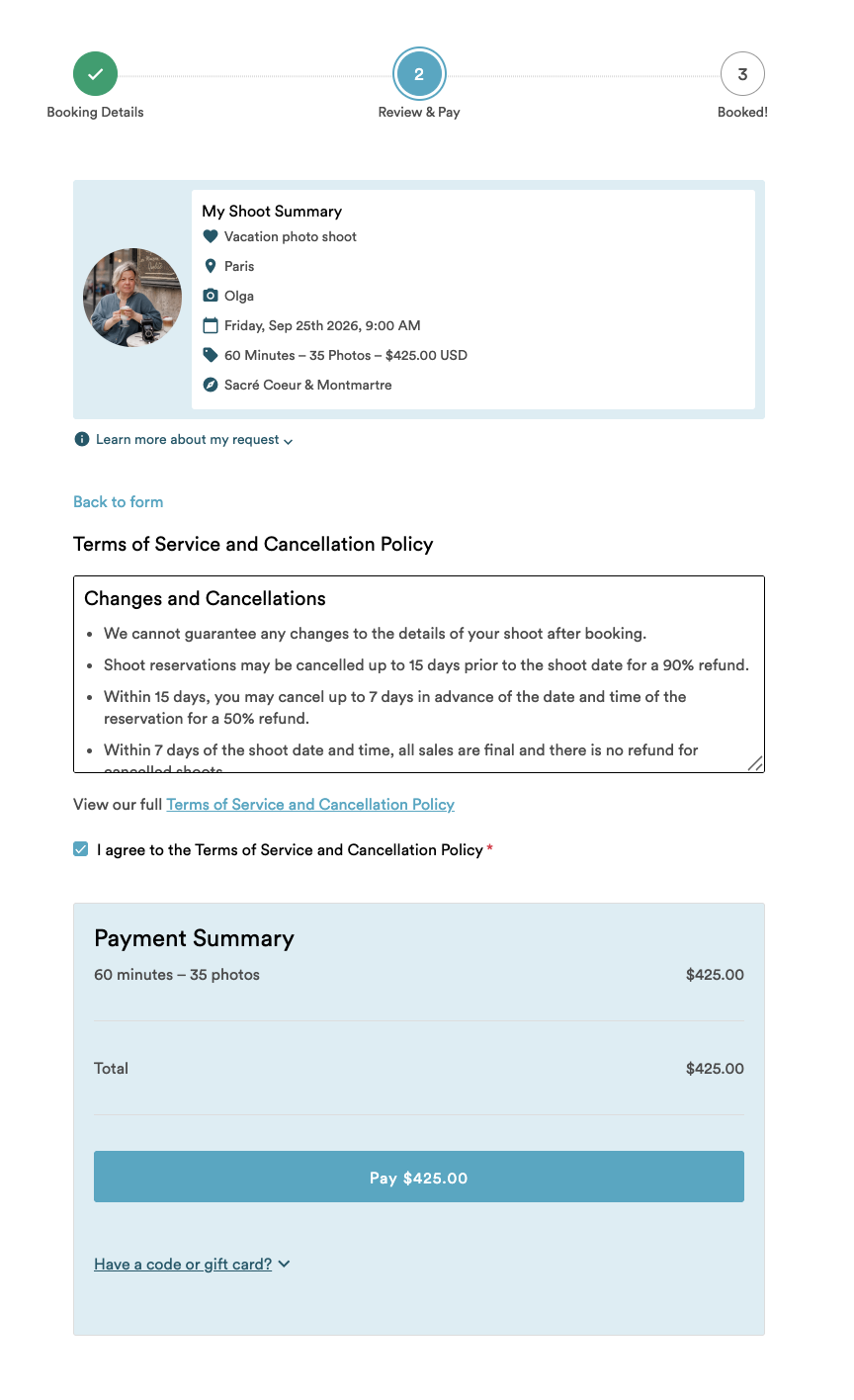
REQUEST TO BOOK
- If no Instant Book slots are available, a customer will submit a request to book your open calendar availability.
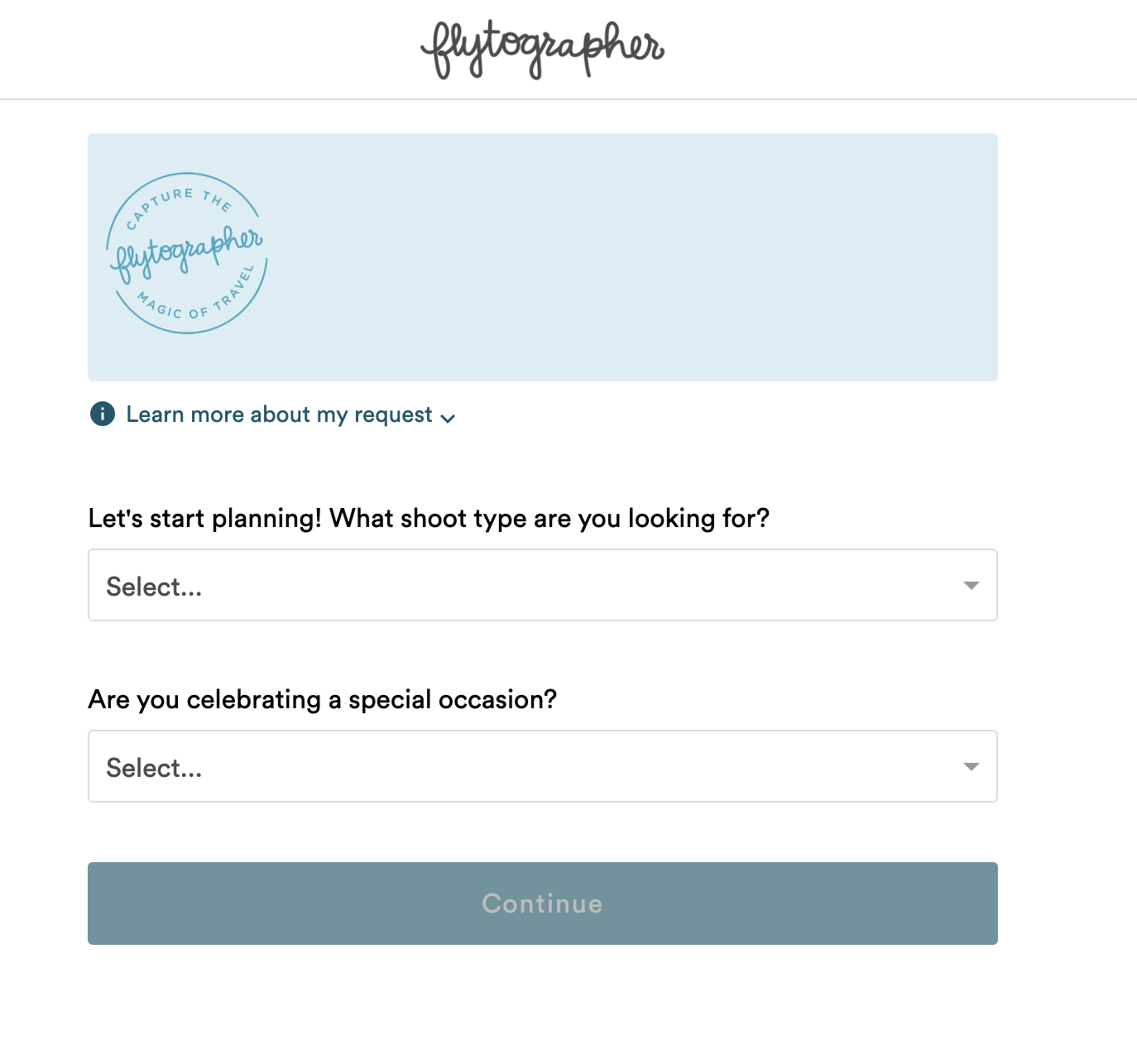
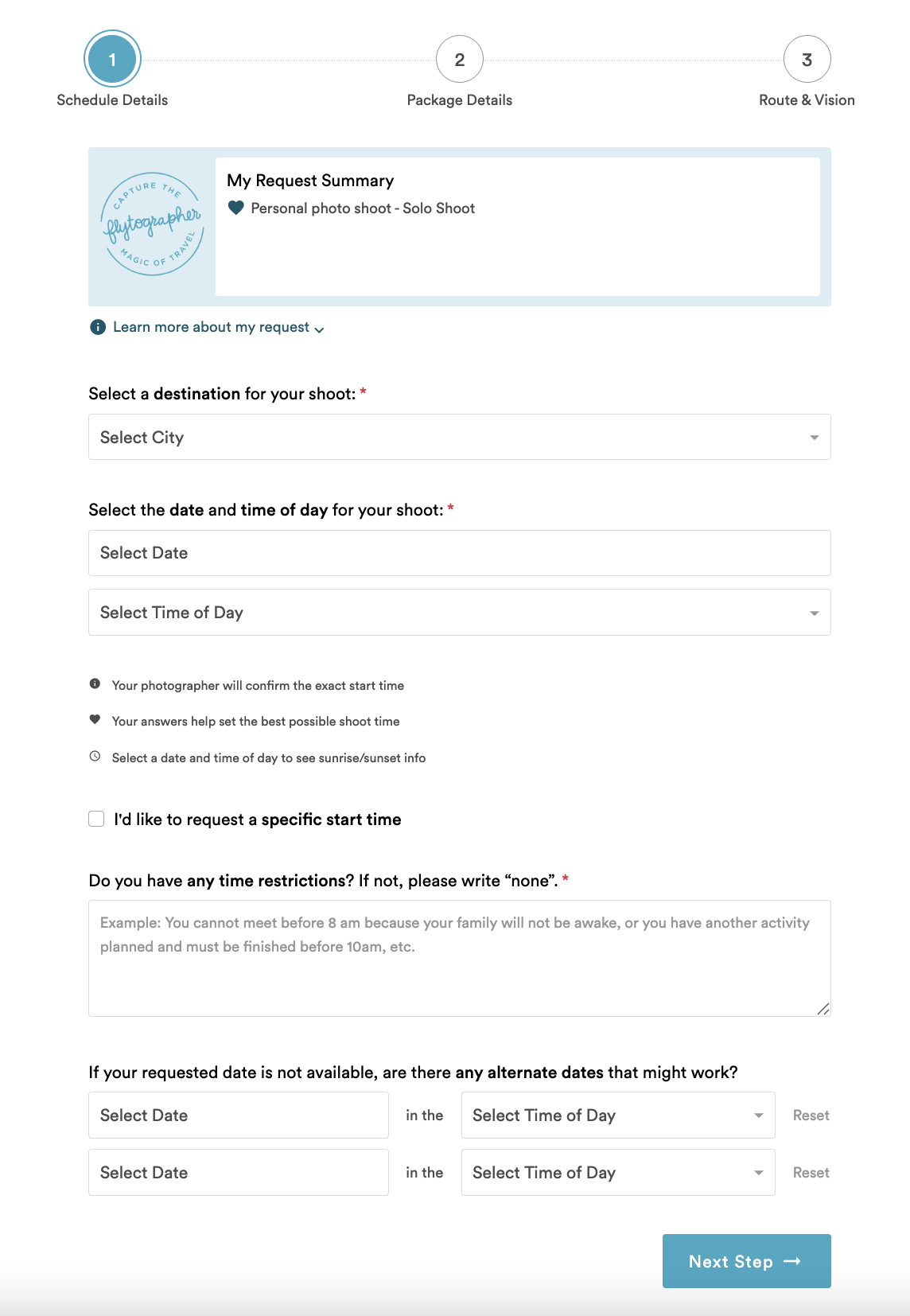
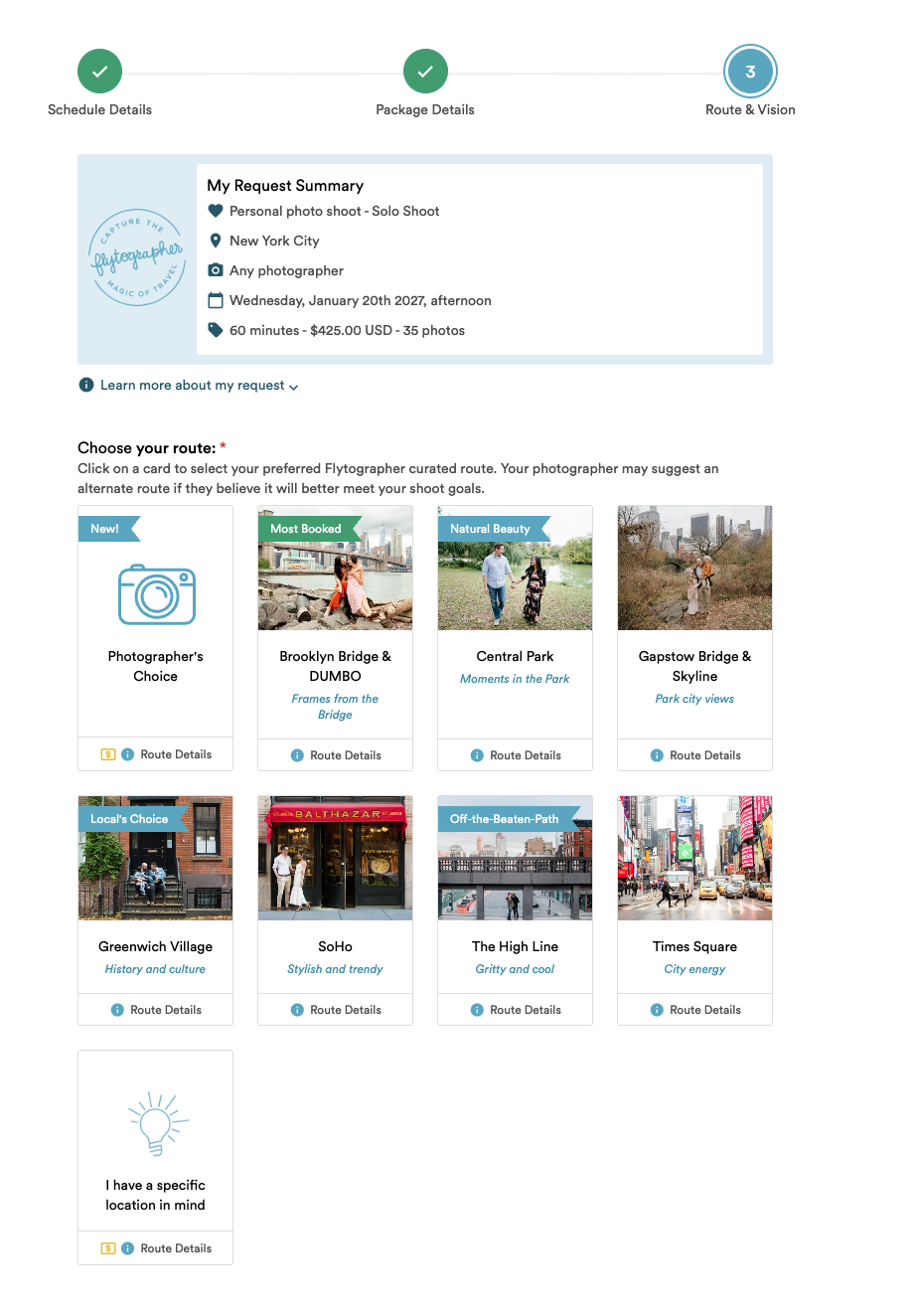
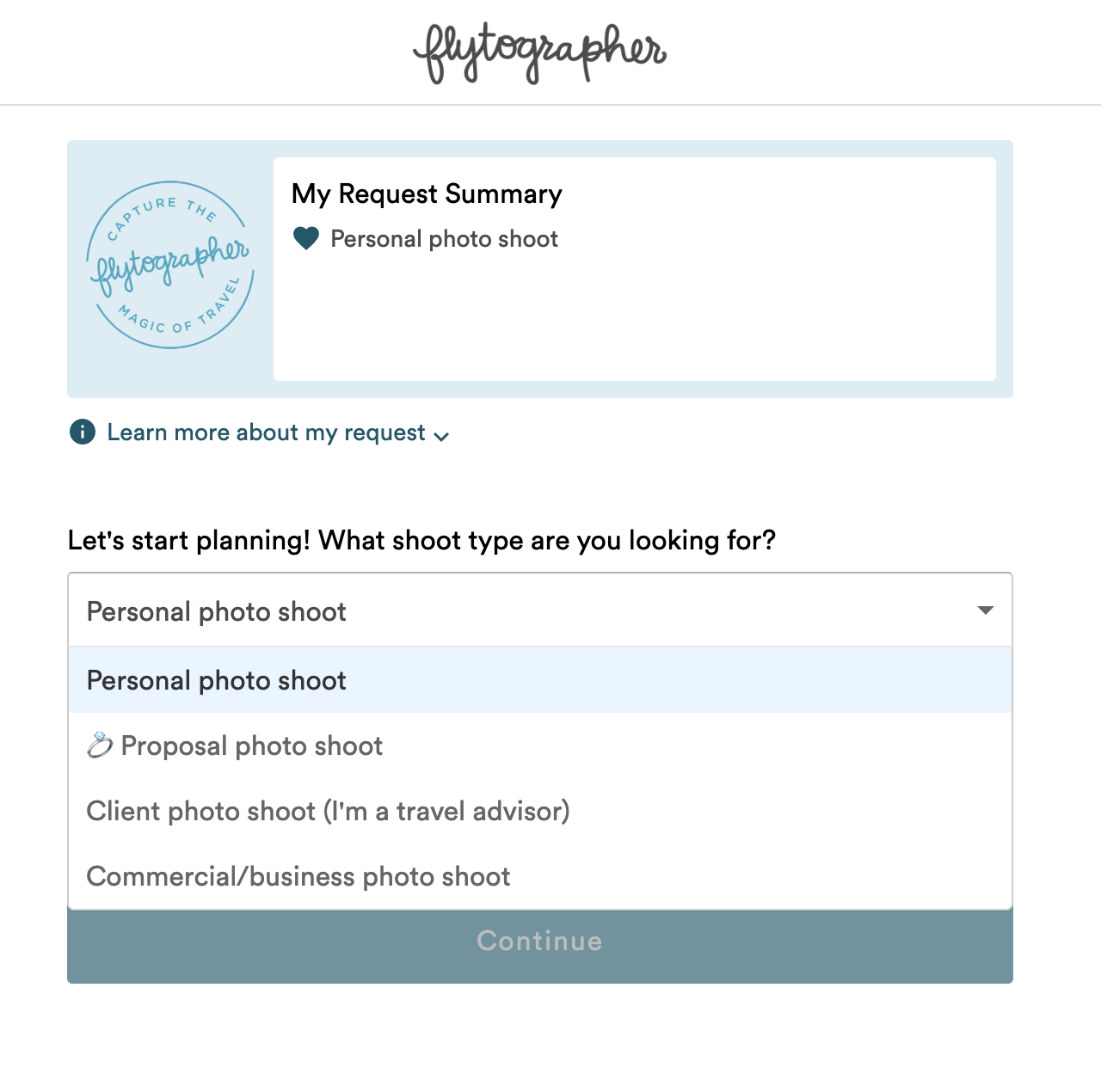
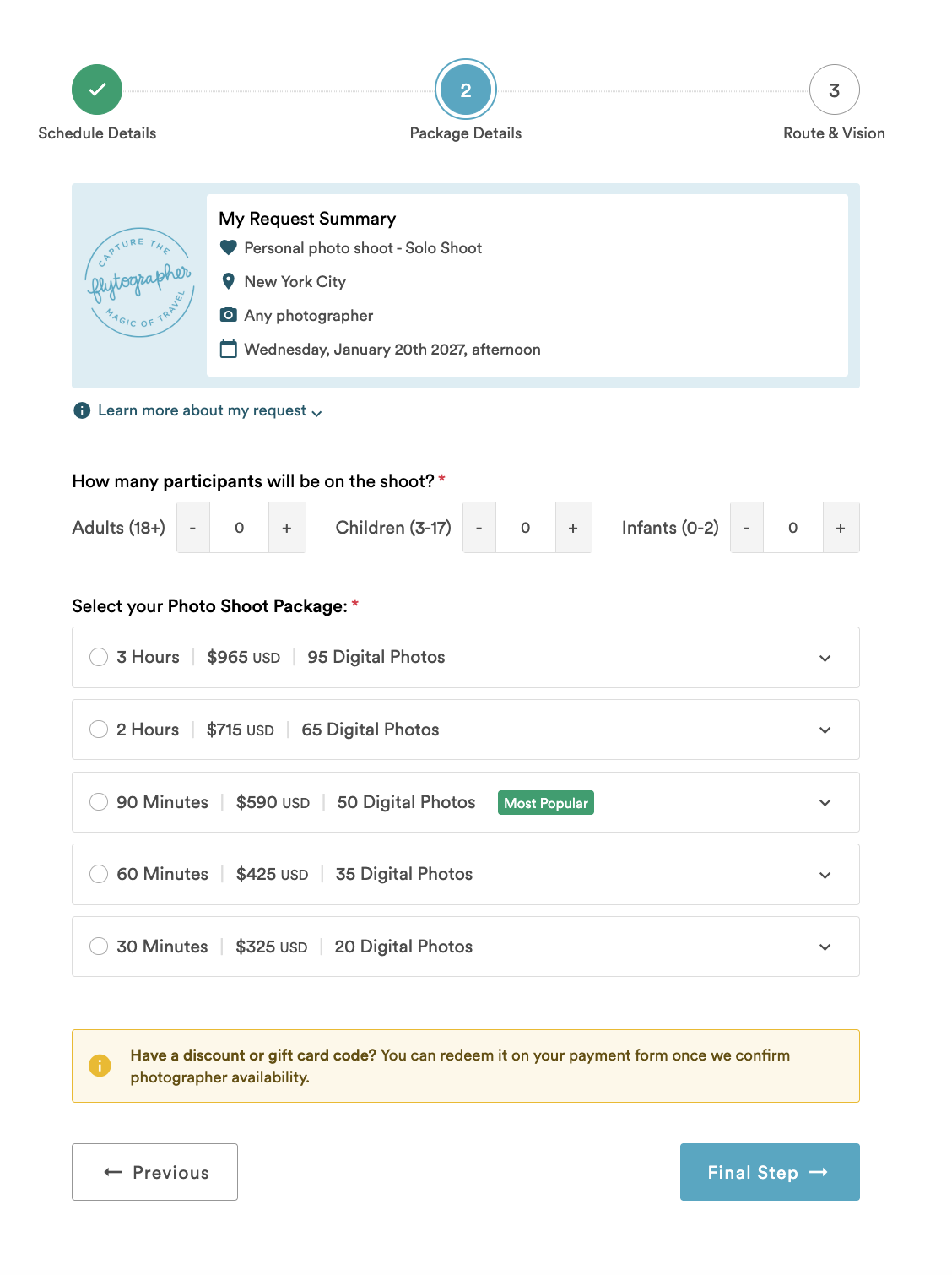
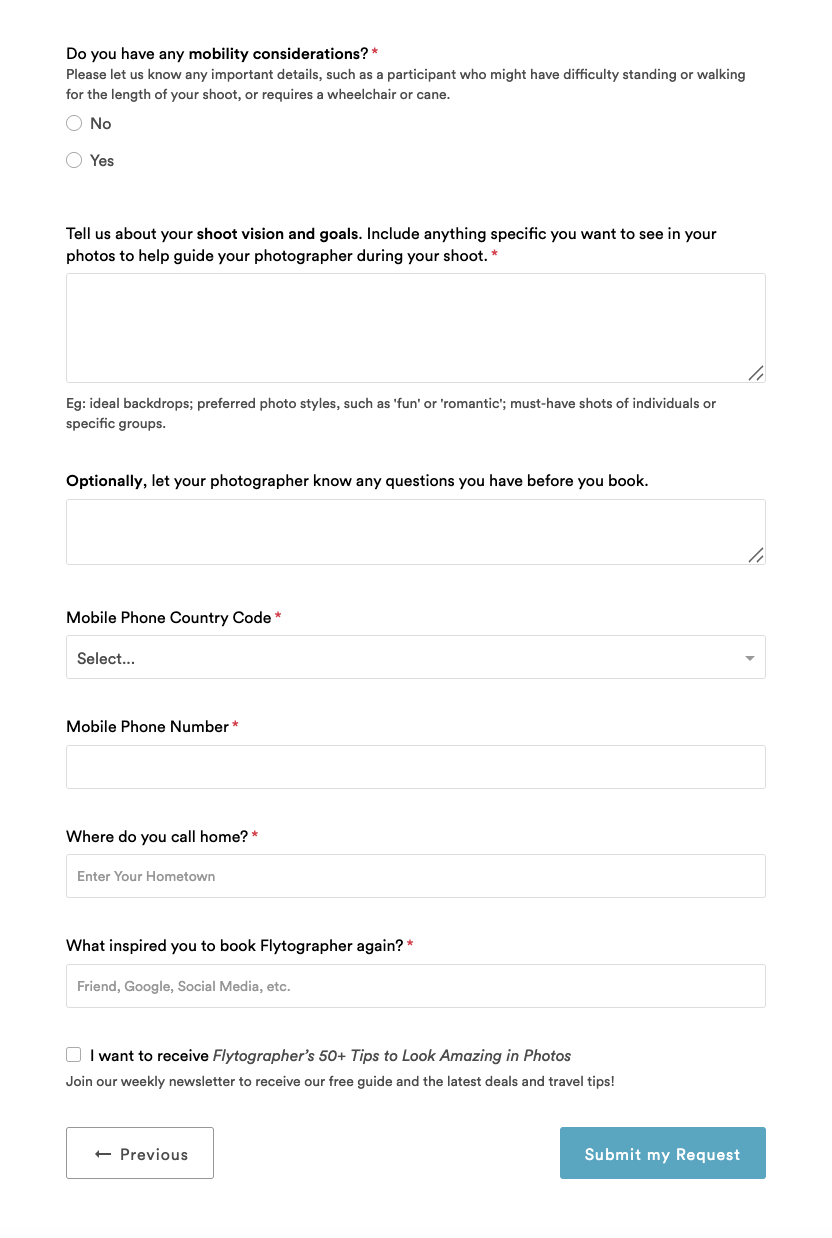
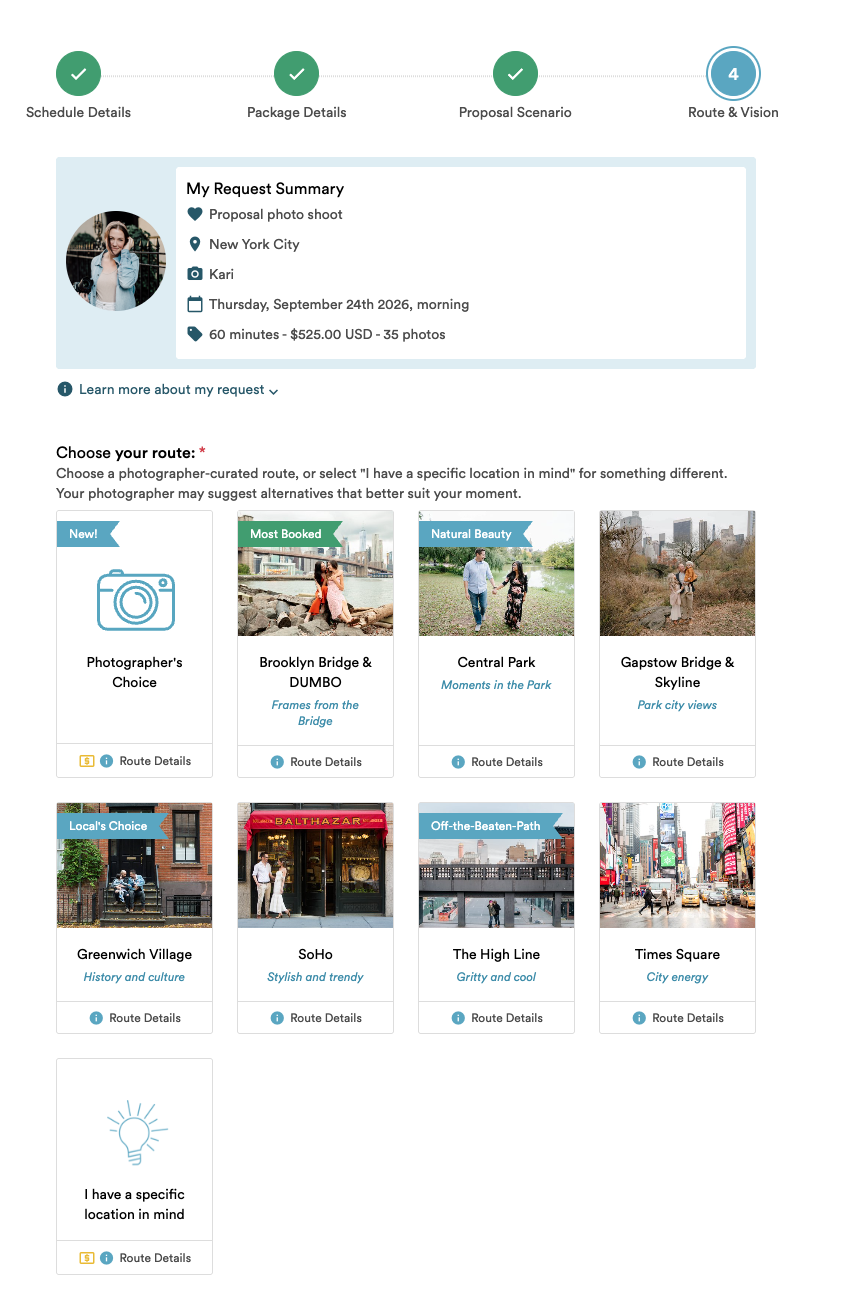
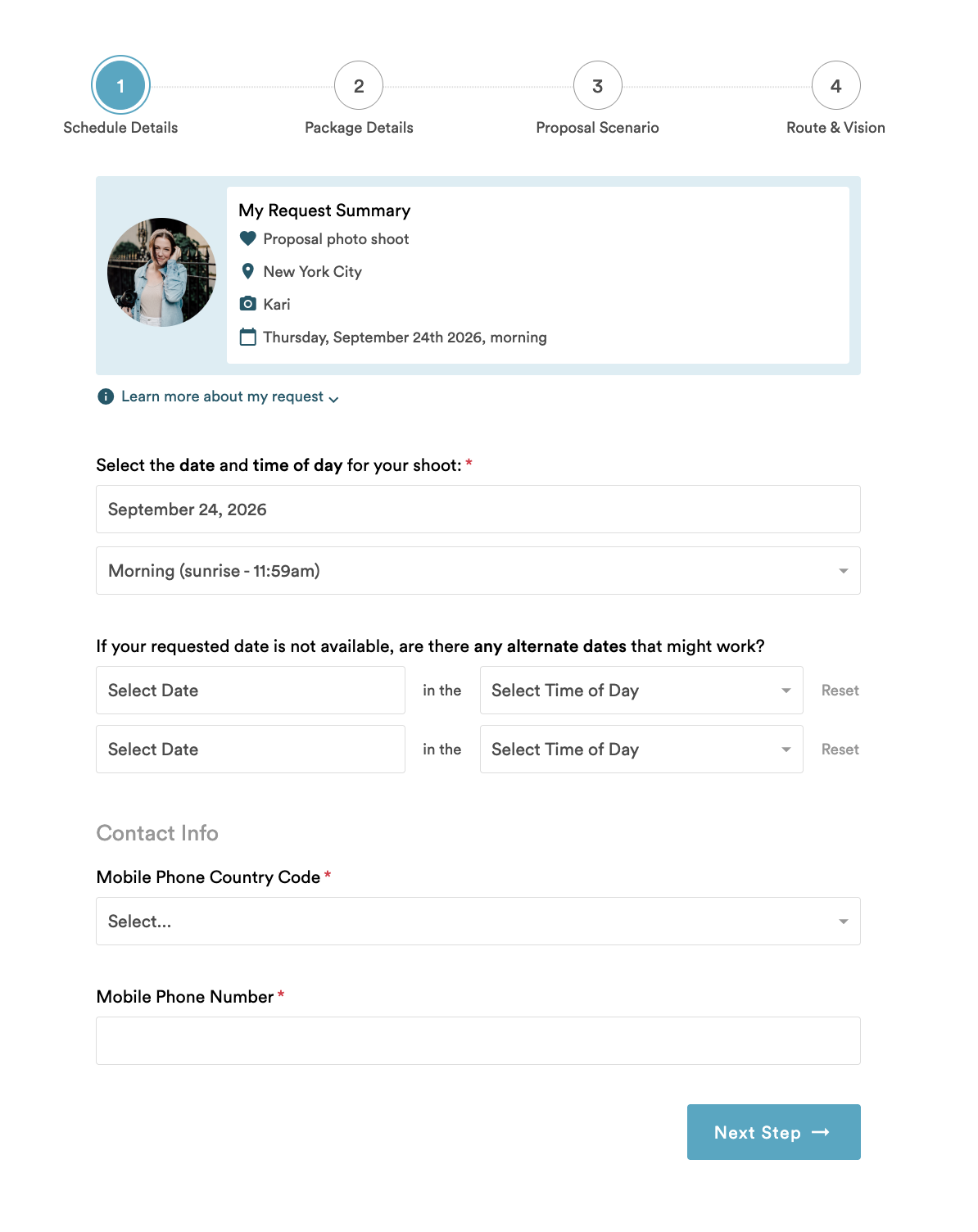
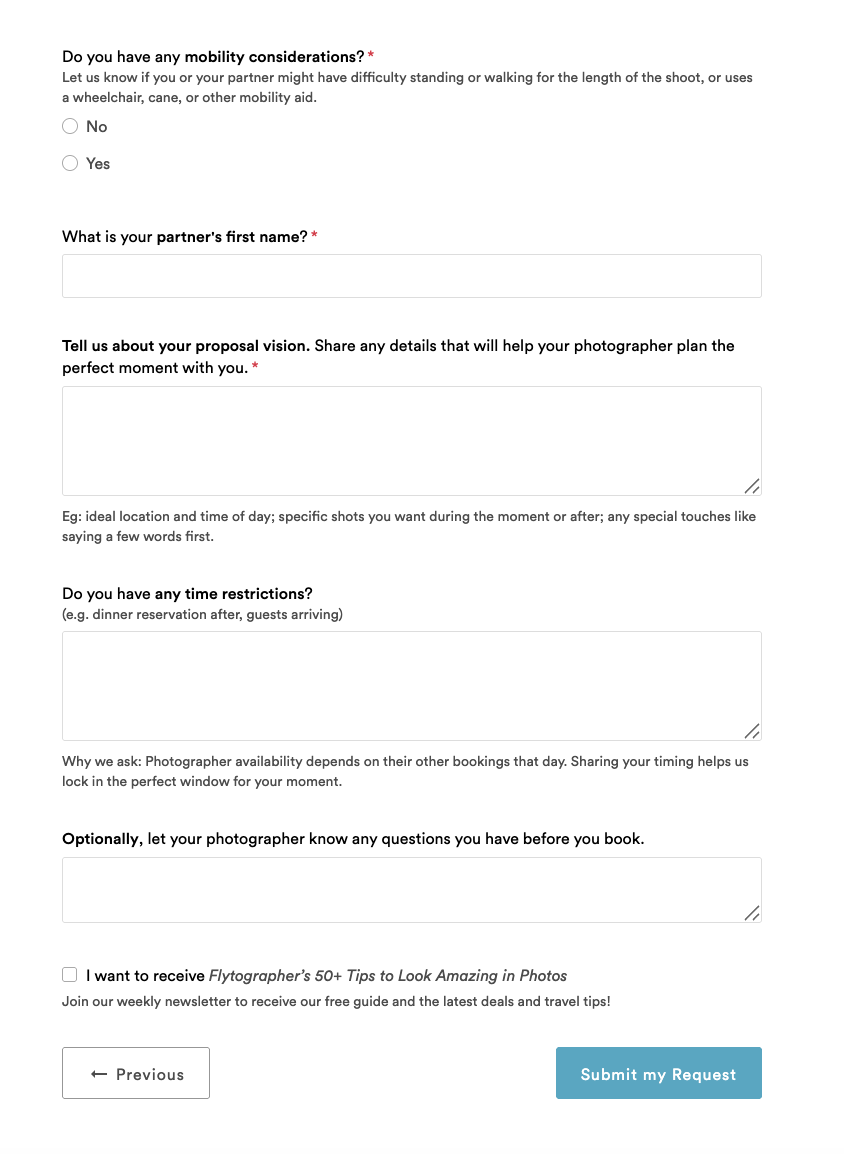
- On the request form, customers choose what type of shoot they want to book and share details like alternate dates and times, scheduling restrictions, occasion, participants, shoot package, route preferences, and shoot vision
- This is where your Inquiries come from!
PROPOSAL REQUESTS
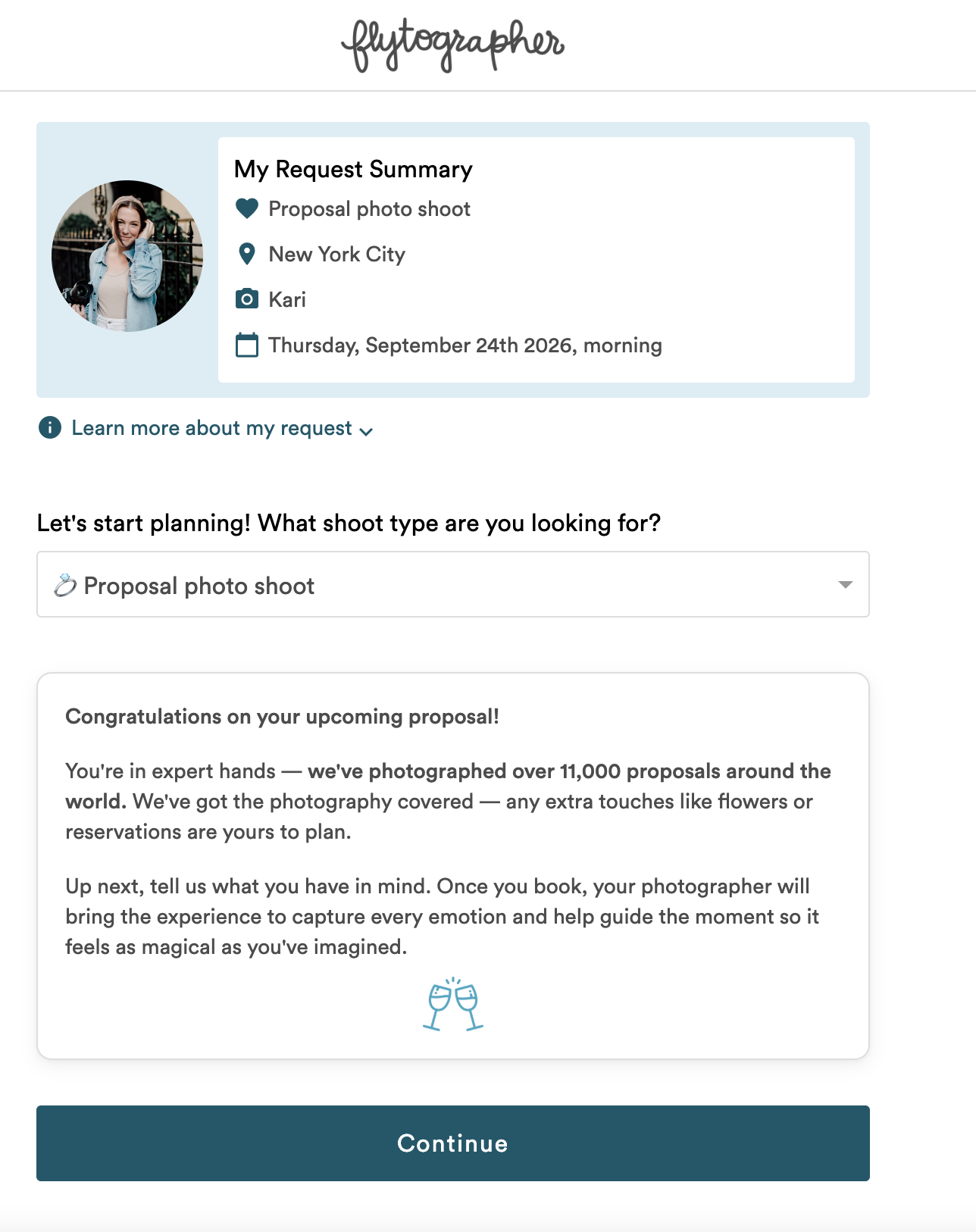
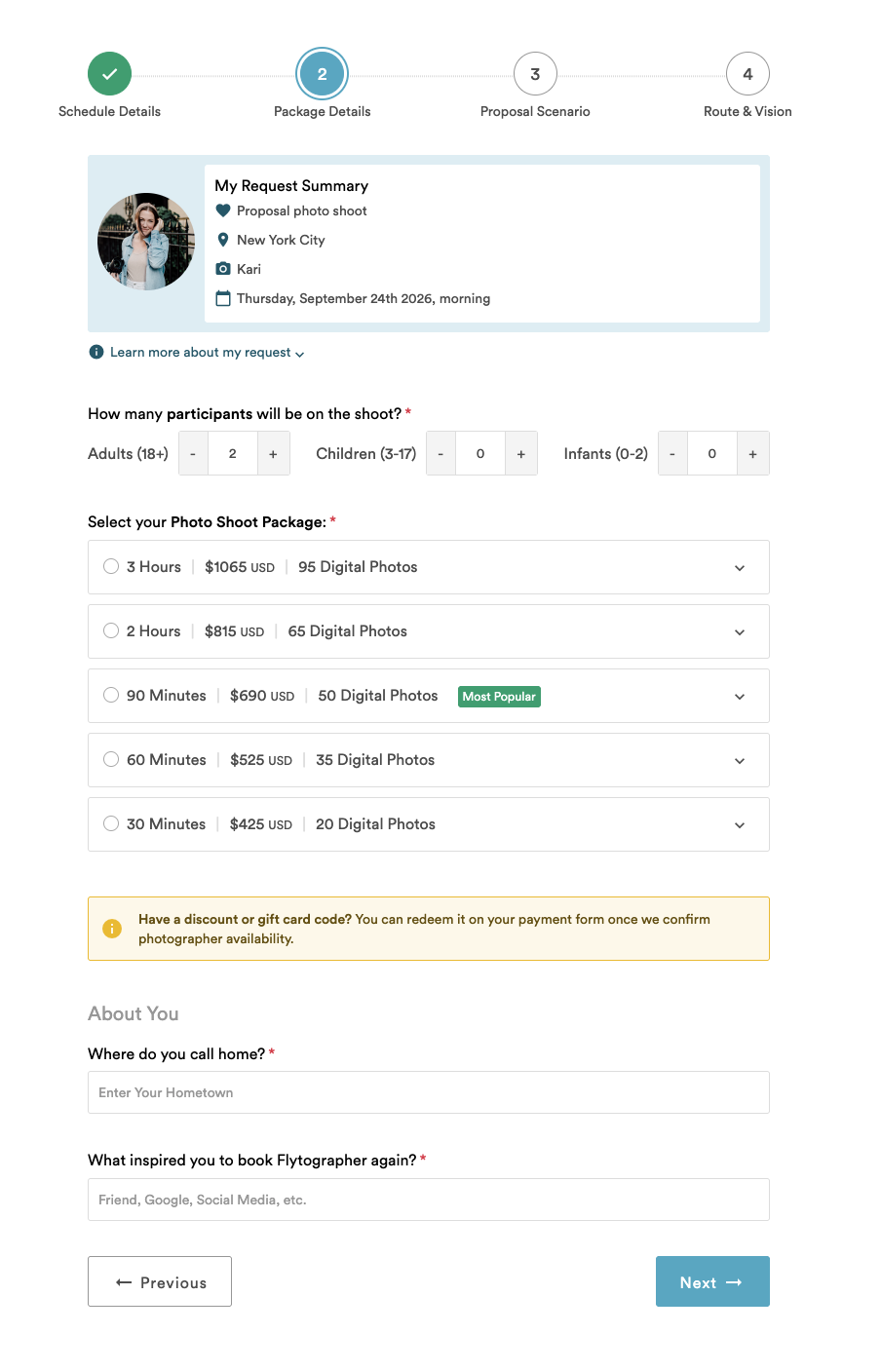
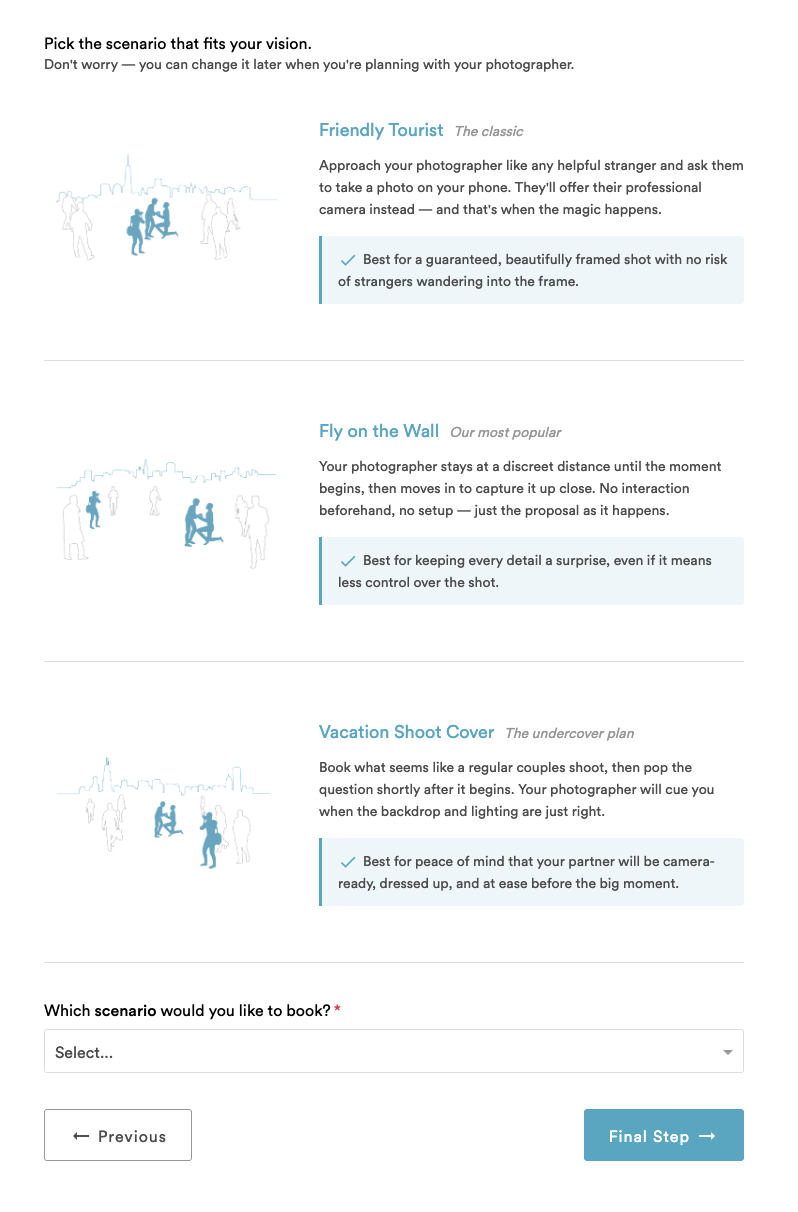
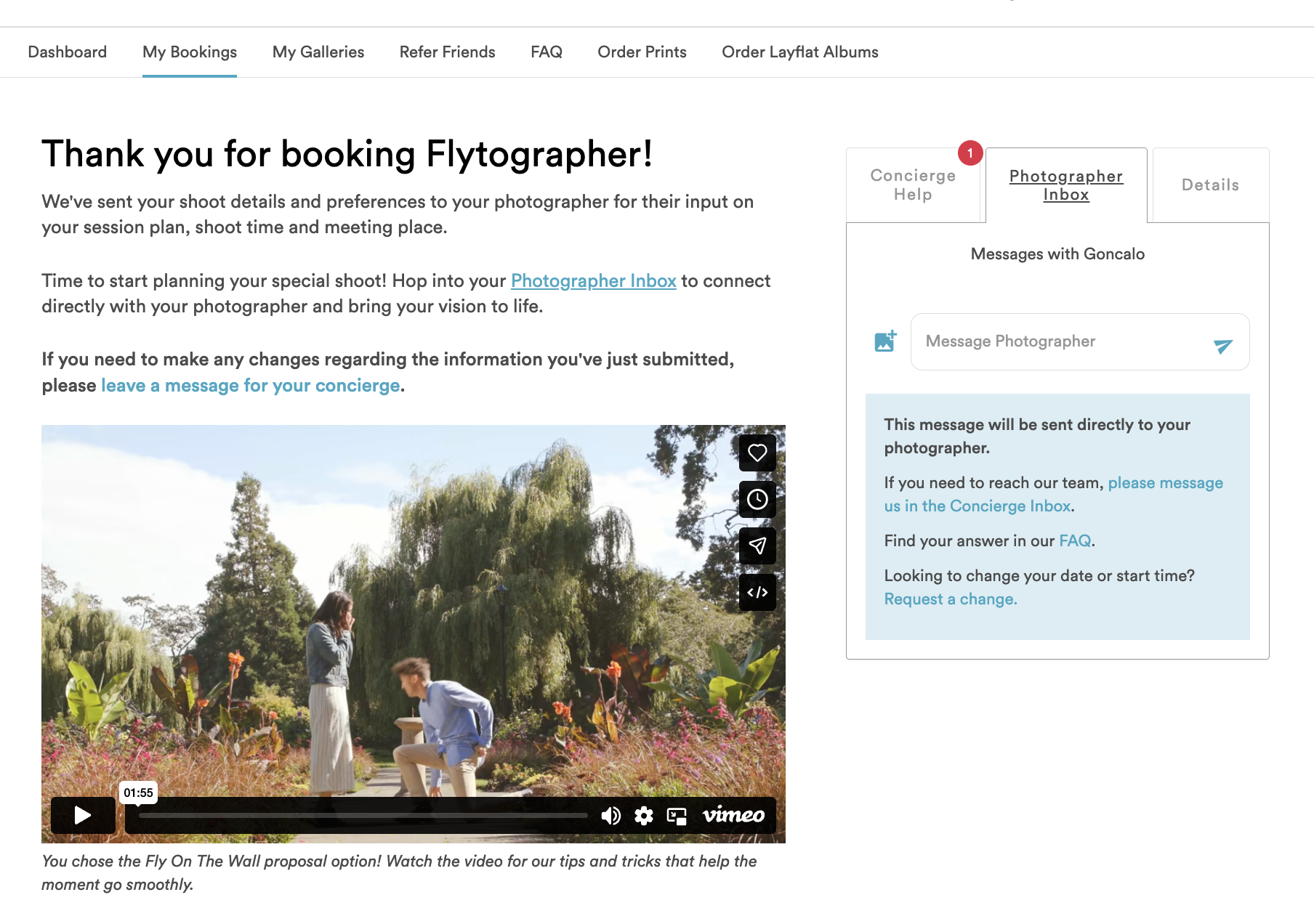
If the customer is booking a Surprise Proposal shoot, they will fill out a slightly different request form where they choose their Proposal Scenario.
Once they submit their request we also share this video with them as an overview of our proposal process.
BOOKING A SHOOT REQUEST
- Instant Book shoots skip this step, so skip ahead to the Shoot Confirmed section for that customer journey.
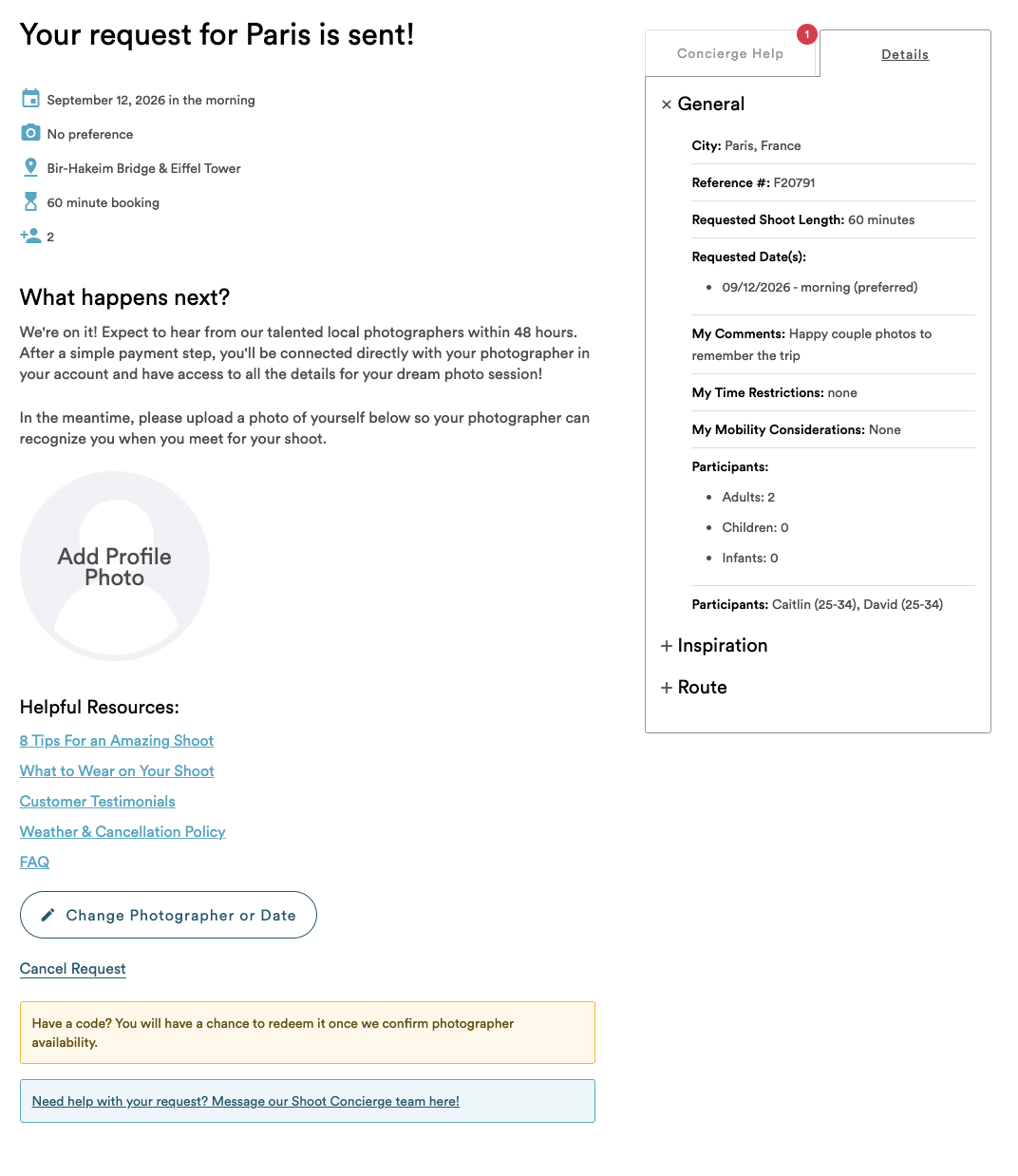
- Otherwise, this is the screen a customer will see after they’ve submitted their request while they wait for you to respond to the Inquiry
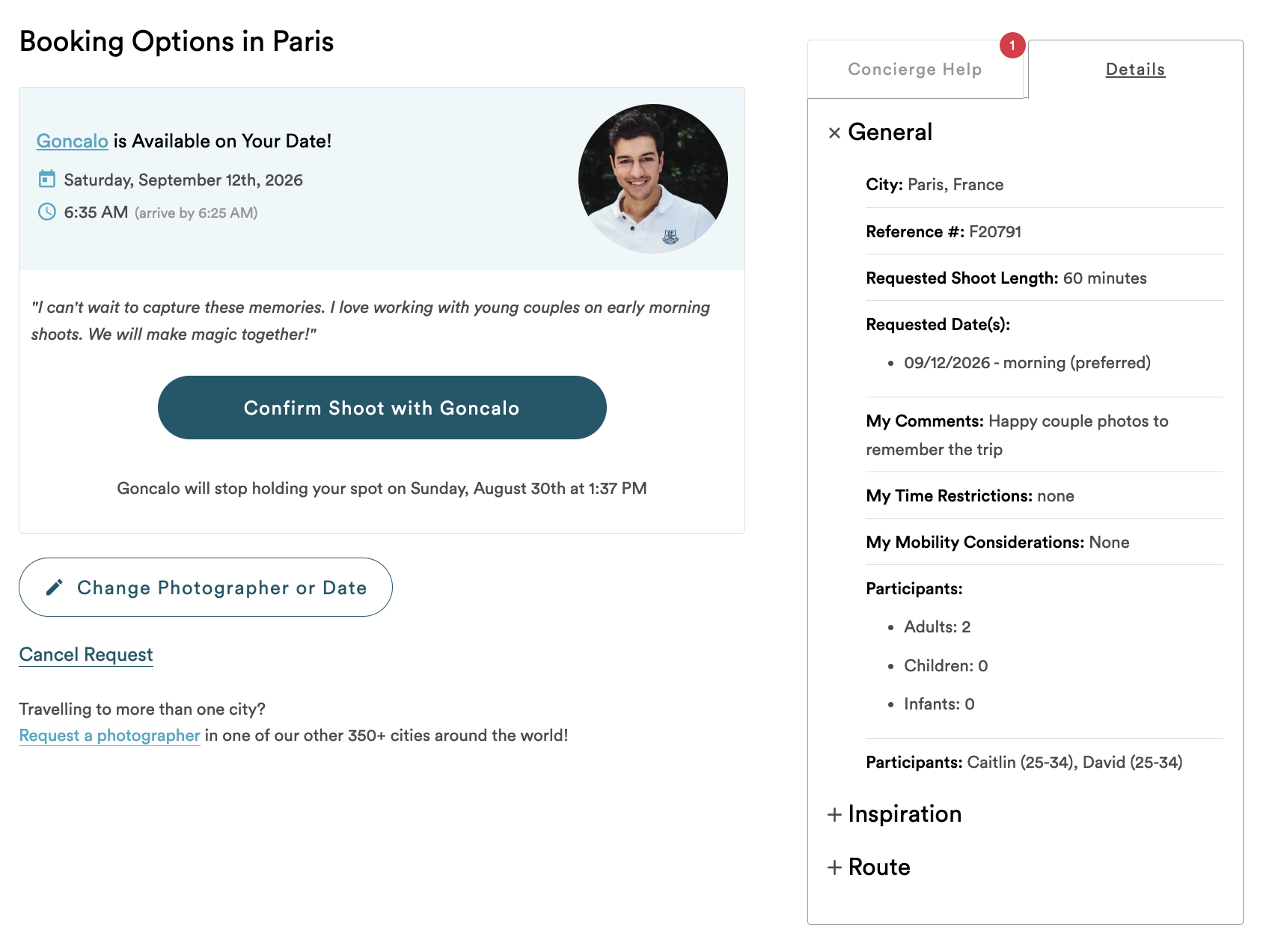
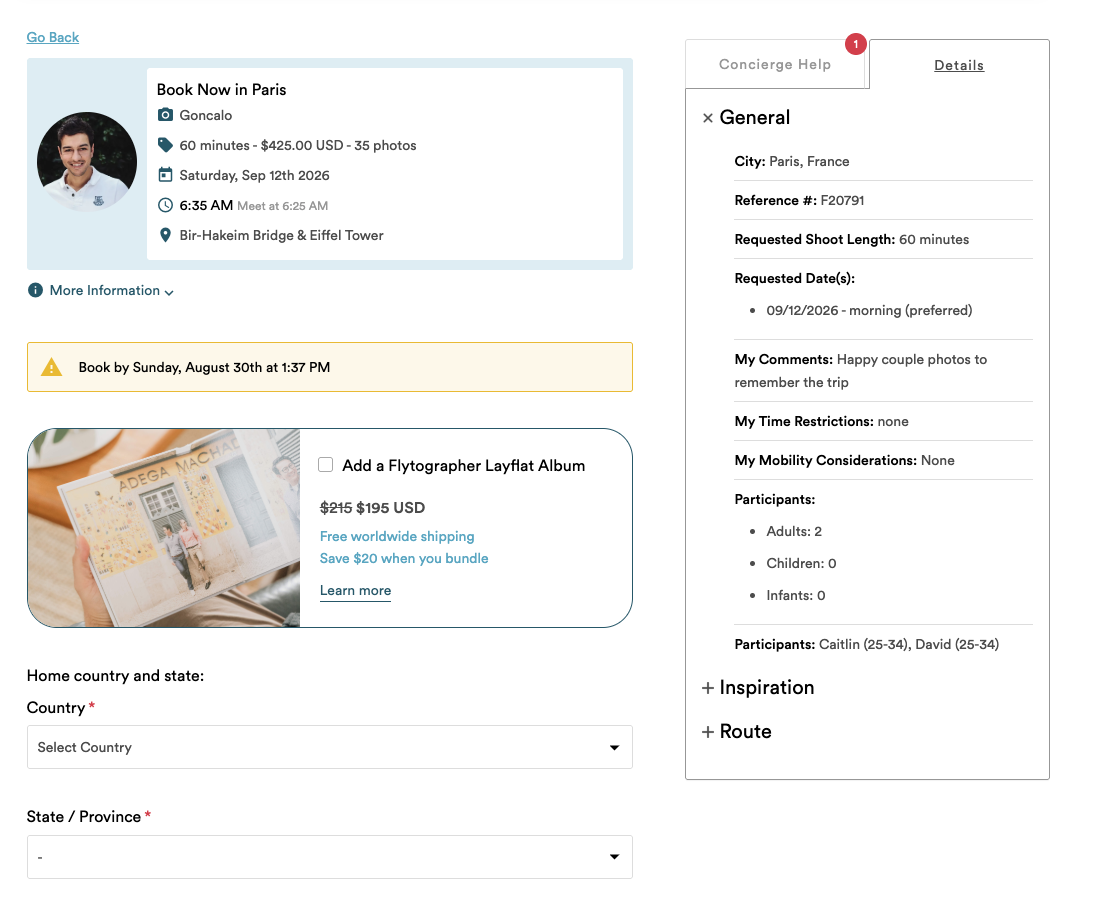
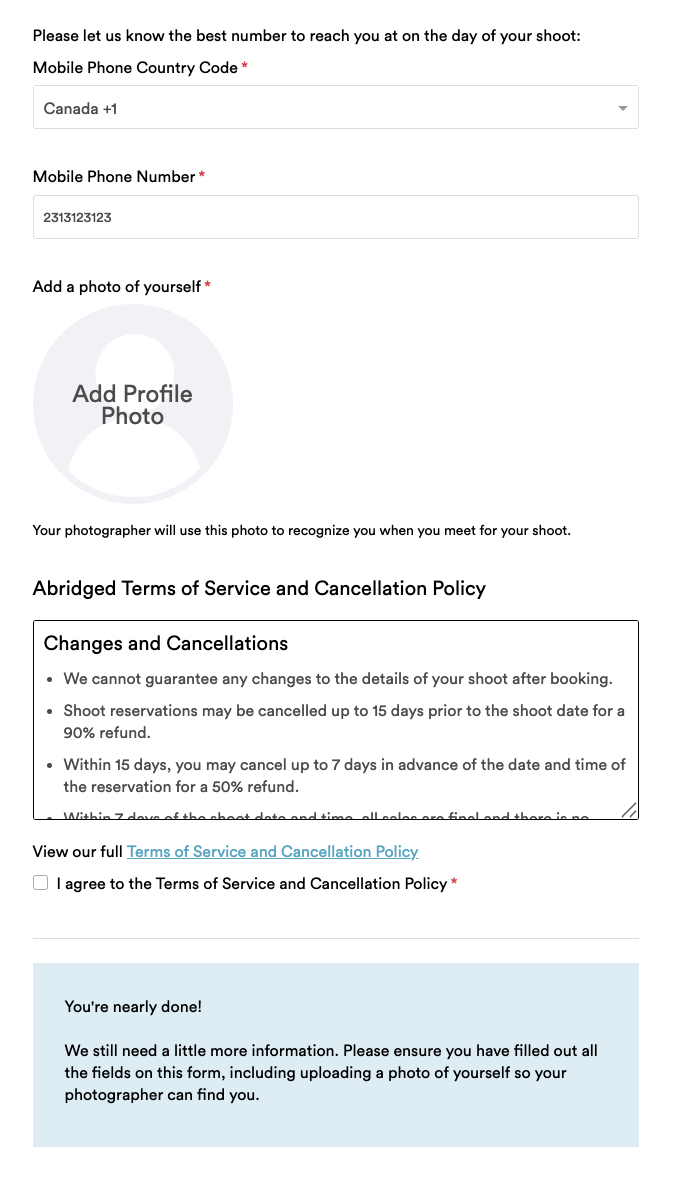
- Once you’ve responded as available for a shoot request, we’ll email the customer to let them know and link them back to their account to book and pay using the form below
- Customers have 3 days to book and pay before your availability expires.
- During or after those 3 days, you will receive a notification stating either that the customer booked; the customer did not book or cancelled; or the customer booked with someone else.
SHOOT CONFIRMED
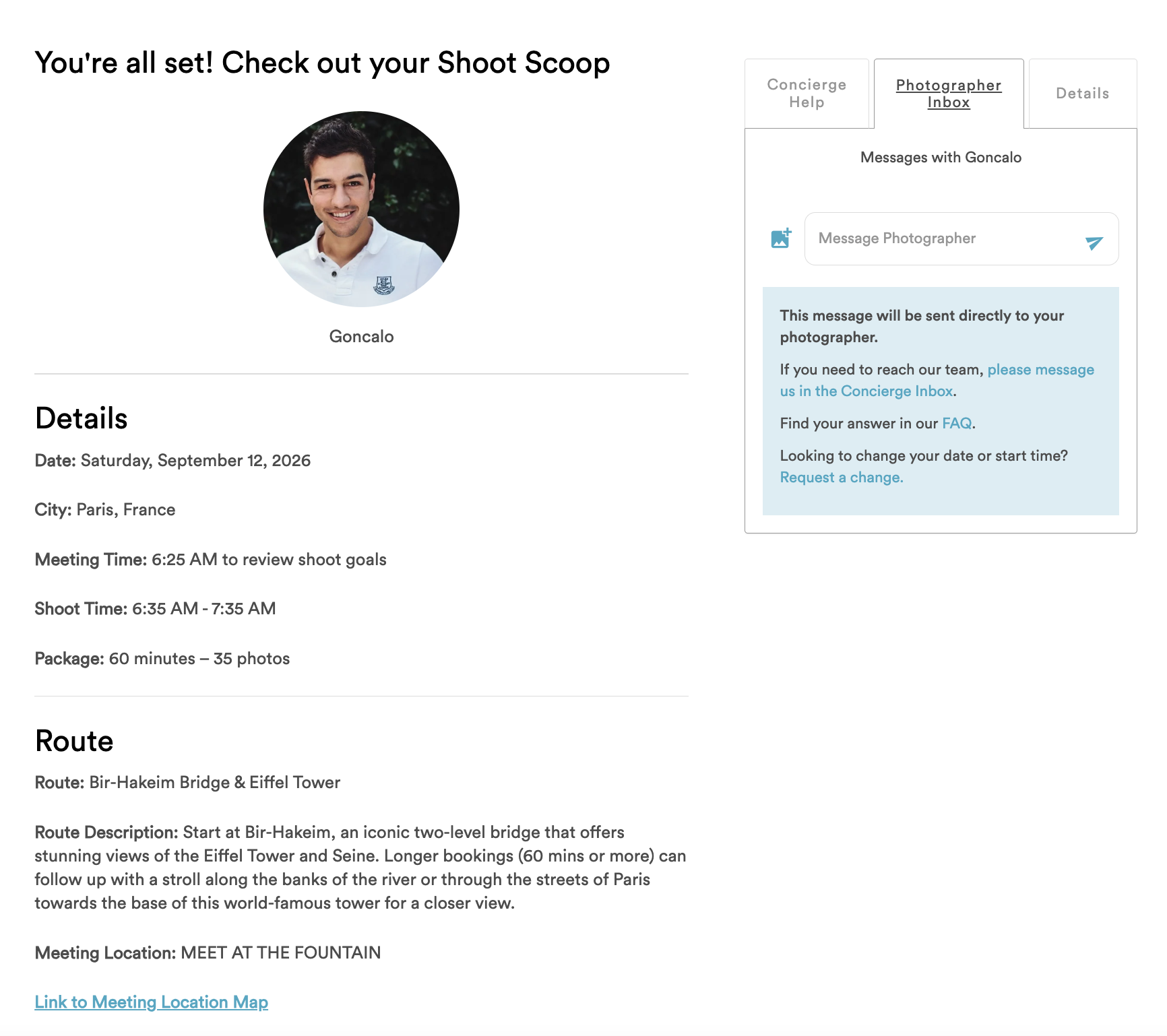
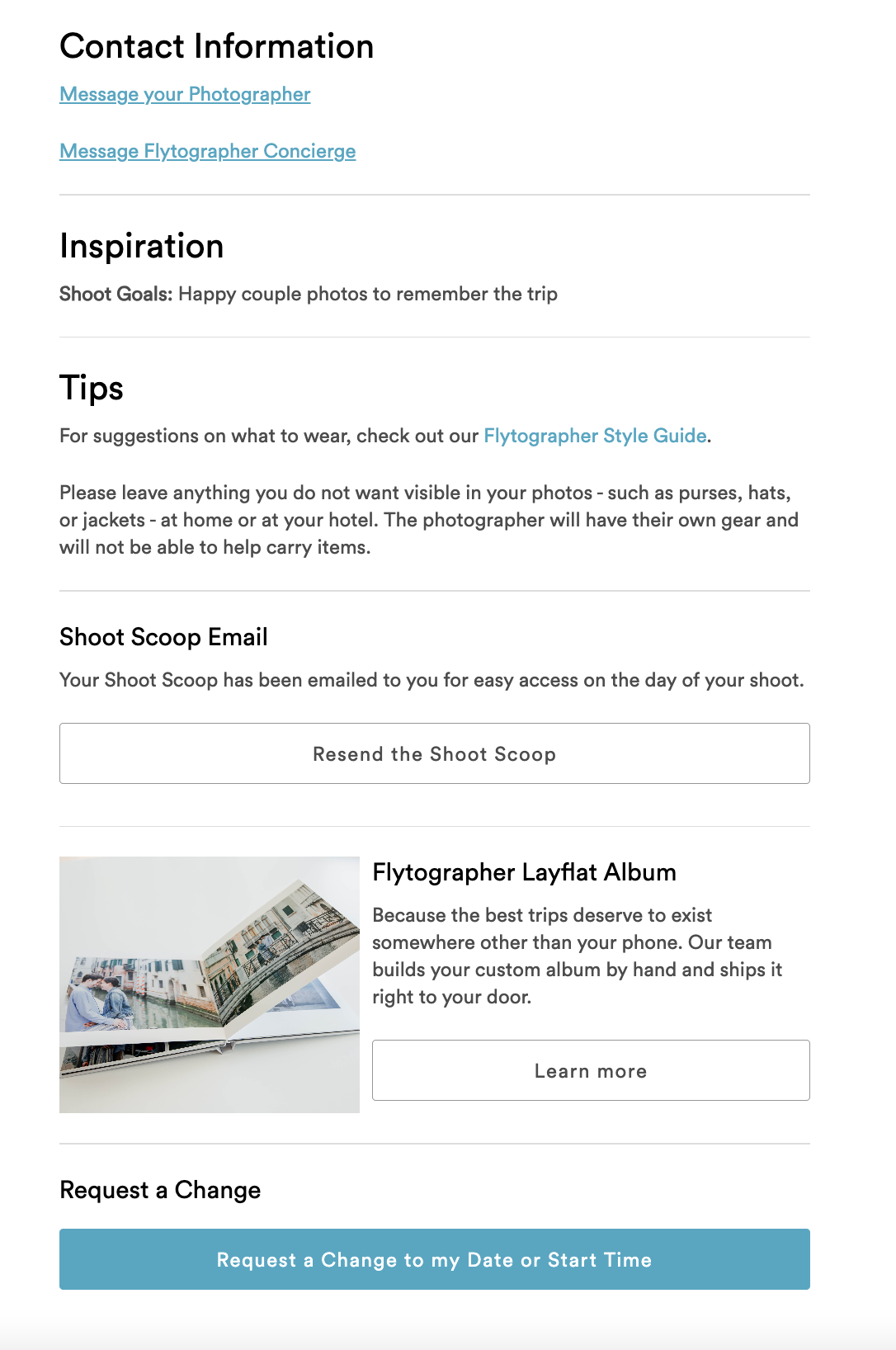
- When a customer pays and officially books an Instant Book Vacation shoot, or a requested Vacation shoot with a predefined Route, you will both immediately receive your Shoot Scoops.
- Just like you, a customer can view their Shoot Scoop via email or directly in their account with us.
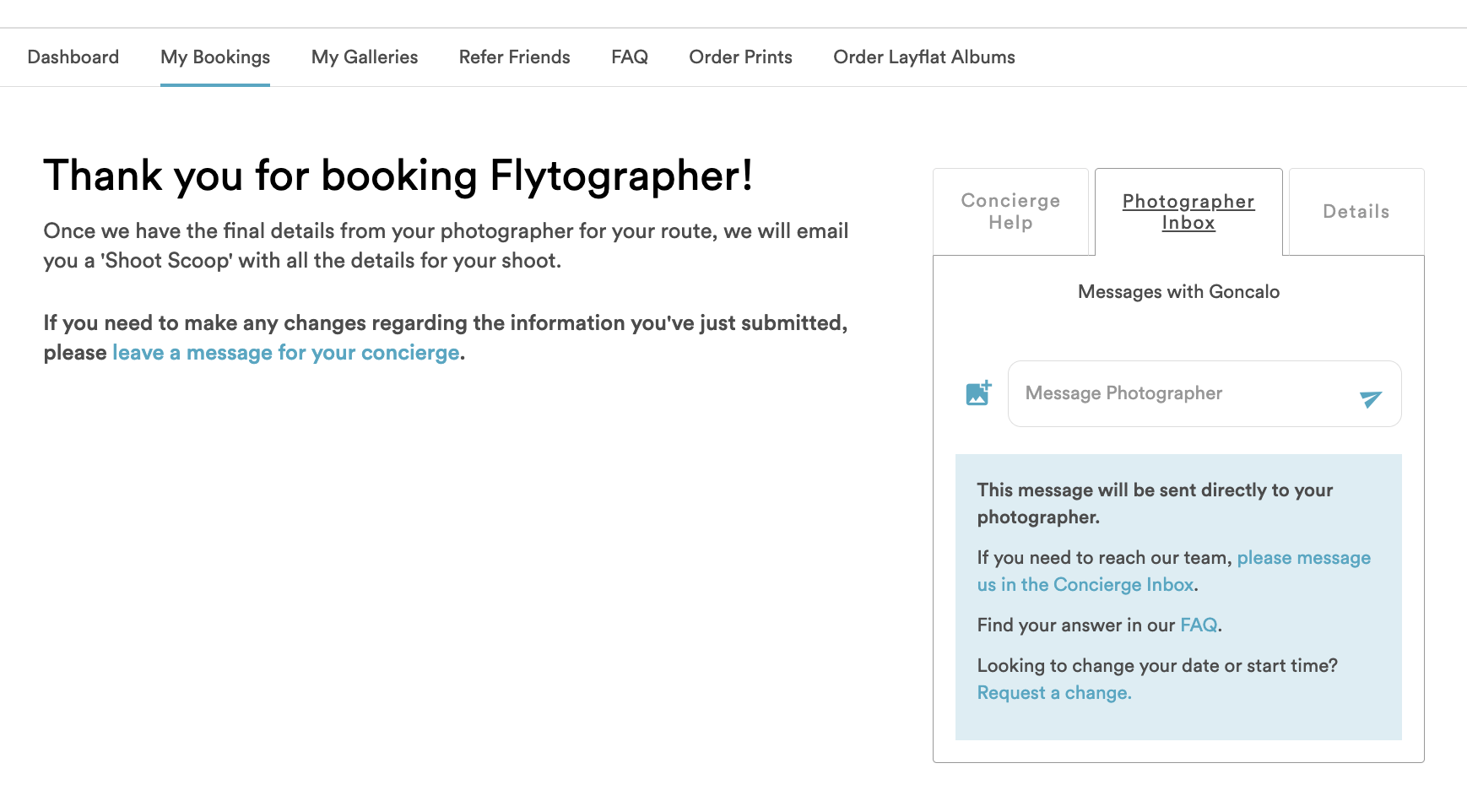
- If a customer has booked a Vacation shoot with a Custom Route, or a Proposal shoot, they’ll see a different landing page while they wait for you to finalize the details. Once you’ve submitted the planning form, they will also see their Shoot Scoop.
THREE DAYS BEFORE THE SHOOT
- Three days before the shoot we send customers a reminder email with tips on what to expect as well as a link to our Style Guide
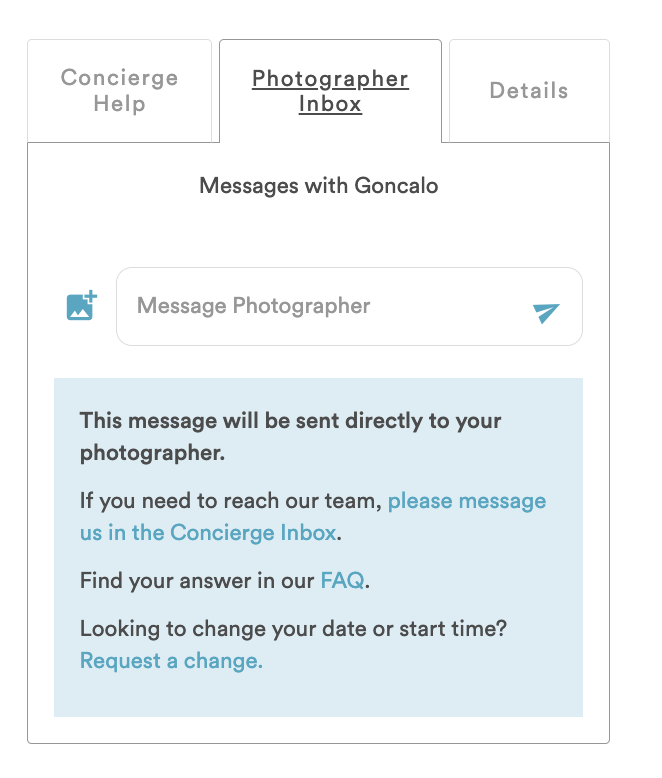
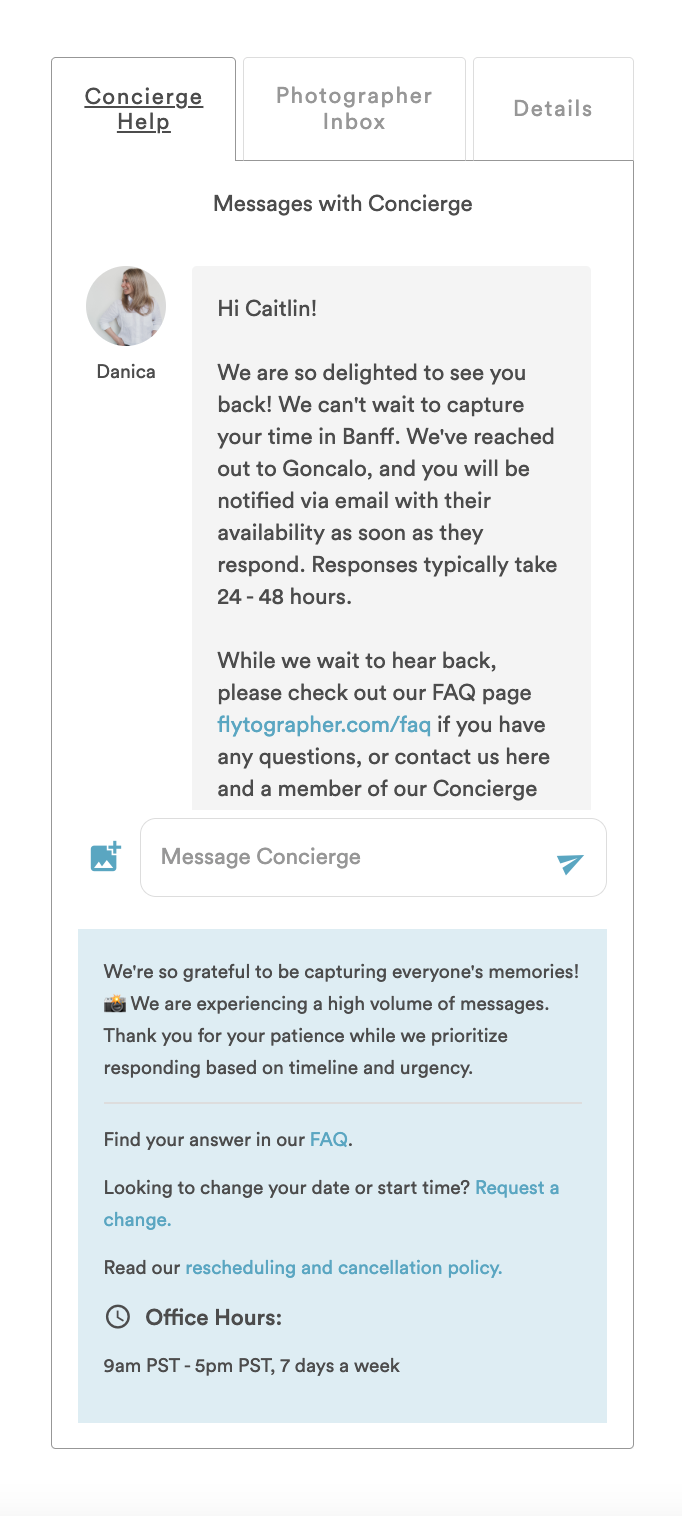
- Also three days before the shoot, both you and the customer will receive an email reminder to connect via the chat on your accounts to make sure you’re connected before the shoot date
- Pictured below is the customer’s view of their chat with you, as well as their Concierge Inbox (this one opens as soon as they create their inquiry!)
SHOOT DAY
- The best part! Our customers meet with you in person for an incredible photo shoot experience. You know what this looks like 😉.
Looking for a reminder on how to best direct a Flytographer shoot? We’ve got the resource for you!

Lyndsay (Flytographer in Banff) and partner on a shoot with Flytographer Kimon in Santorini — captured by Natalie (Flytographer in Honolulu) during our 2019 Global Meetup
RECEIVING PHOTOS
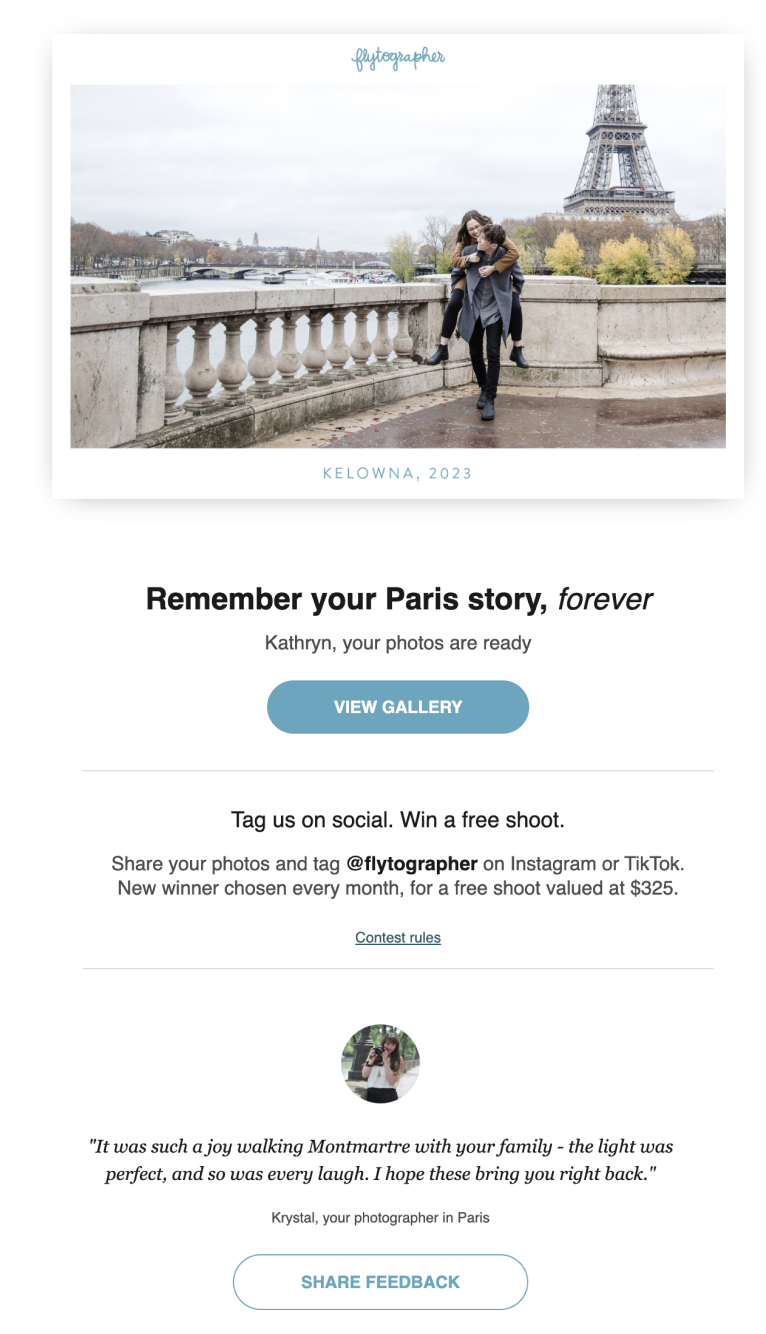
- Once you’ve uploaded a customer’s photo gallery, it takes our system a bit of time to process the images and email them to the customer. Most galleries are sent to the customer within two hours of uploading, but others require review by our concierge team.
- Once a gallery is ready to go, we email the customer with a link to their gallery on their account.
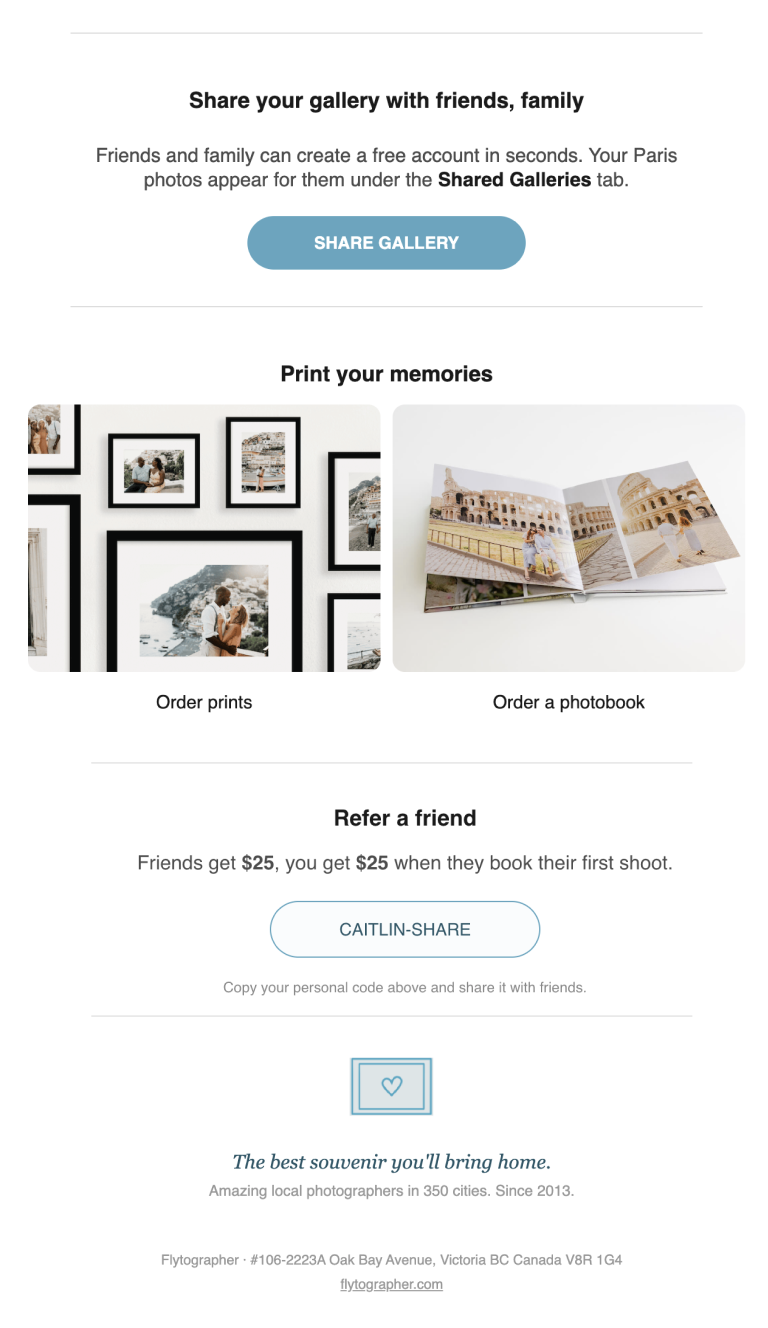
- Customers can view their full gallery on their account, and download the gallery or individual photos.
- Customers can also choose to create a public Travel Story that makes their selected photos public with their story and details to share with their friends and family. See all the Travel Stories here


FEEDBACK
- When we send out the gallery, we provide a link for the customer to fill in their feedback.
- If a customer has not filled in their feedback within 2 days of receiving their gallery, we send them a reminder email, and if still not then, another reminder a week later. We remind customers a total of three times to fill in feedback.
**Hint: To help increase your chances of receiving feedback, you can include a little post-shoot message to the customer to specifically ask them for feedback – often customers feel more compelled to do so if they are asked by the photographer.
Example: “Thank you for such an incredible shoot! I hope that you love your photos as much as I do. I would sincerely appreciate your feedback and your thoughts on your shoot experience, as this greatly helps me to improve my work and build my portfolio. Please fill in the feedback form that has been sent to you in the email along with your gallery.”
For sharing images, customers have the option of sharing all photos, selecting only certain photos to share, or keeping everything private. Make sure you are familiar with our Photo Sharing Policies here.


The customer journey may continue on with blog or social media posts to keep them engaged and excited. We have many repeat customers who are eager to keep booking shoots after having their amazing experience with you, so your excellent service and professionalism on every single shoot are extremely appreciated by everyone on our wonderful team all around the world!
QUESTIONS?
Email us at photographer@flytographer.com
Header photo by Gusmank in Bali